Game Controls
- PC: Left Mouse Click: Select an arrow to move it.
- Mobile: Tap: Select an arrow and send it along its indicated direction.













Arrow Go
About Arrow Go Game
Arrow Go is a logic-based puzzle game that challenges you to untangle a board filled with arrows pointing in different directions. Each arrow can only travel along its indicated path, and your task is to remove every piece without getting blocked. The rules are easy to understand, but solving the puzzle takes more than random tapping. Some arrows cannot move until others are cleared, so you need to examine the entire layout and determine which pieces should go first. As the arrangements become more complicated, every successful move opens new possibilities.
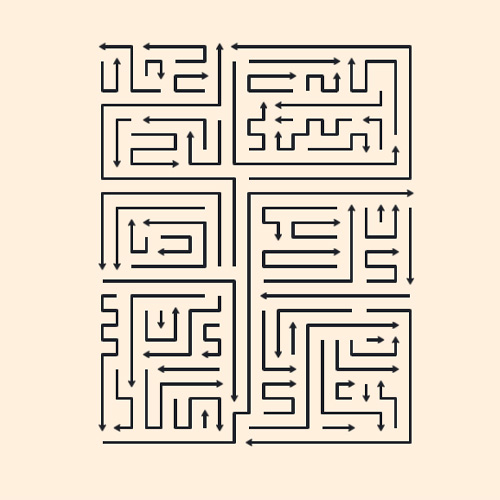
Game Highlights
- Direction-Based Puzzles: Each arrow moves only in the direction it points.
- Order-Dependent Gameplay: Remove accessible arrows first to free blocked pieces.
- Progressive Challenges: Work through increasingly complex arrow arrangements.
- Simple Controls: Solve puzzles with a single click or tap.
- Relaxing Brain Training: Practice observation, logical reasoning, and forward planning.
Gameplay Guide for Arrow Go
The goal is to clear the board by finding a safe removal sequence. Here's how to approach each puzzle.
Find Clear Paths and Remove Arrows
Start by examining the direction of every arrow. Select one whose path to the edge is completely open, then watch it slide away. If another arrow occupies its route, that piece must be removed first. Look for accessible arrows around the edges and gradually work toward the more crowded sections.
Each successful removal changes the arrangement and may create an exit for another arrow. Rather than selecting pieces at random, identify which arrows are blocking others and clear them in a logical sequence. A level is complete once every arrow has left the board.
Game Controls
- PC: Left Mouse Click: Select an arrow to move it.
- Mobile: Tap: Select an arrow and send it along its indicated direction.
Tips to Solve Arrow Puzzles Faster
- Check the edges first: Look for arrows that already have an unobstructed exit.
- Follow the arrowheads: Always inspect the full path before making a move.
- Identify blocking pieces: Work out which arrows must disappear to free the others.
- Recheck the board: A single removal can open several new routes.
- Think in sequences: Focus on how your current choice affects the remaining arrows.