Flight Controls
PC
- WASD / Arrow Keys: Control pitch and bank.
- Mouse Drag: Steer the aircraft.
- G: Raise or lower landing gear.
- Space / Enter: Start the next approach.
- Tab: Return to the menu.
Mobile / Tablet
- Touch and Drag: Control aircraft movement.
- Gear Lever: Swipe down to deploy landing gear.





















Can You Land?
Can You Land? A Test of Precision Flying
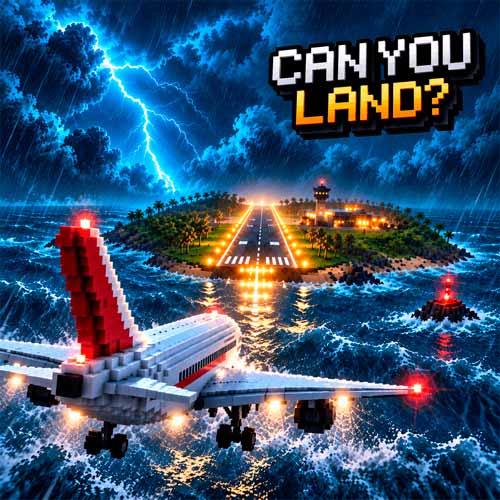
Can You Land? is a 3D airplane landing simulator that puts you in control of the most critical moments of a flight. With no autopilot to help, you must guide your aircraft toward the runway, manage its descent, and make a smooth touchdown.
Every approach brings new challenges. Strong crosswinds can push your plane off course, while fog, thunderstorms, and sudden wind changes make it harder to maintain control. Start with an Airbus A320, earn rewards for successful landings, and unlock more demanding aircraft as your piloting skills improve.
What Makes Every Landing Challenging?
- Manual Flight Controls: Adjust the aircraft's pitch and bank throughout the approach.
- Unpredictable Weather: Handle fog, rain, thunderstorms, and windshear.
- Different Aircraft: Unlock planes with unique handling characteristics.
- Precision Landing Scores: Earn up to 100 points based on touchdown accuracy and stability.
- New Airports and Runways: Test your skills across increasingly difficult landing locations.
How to Land Your Plane Safely
Your goal is to align with the runway, maintain a controlled descent, and touch down without crashing.
Game Mission
Follow the Glide Path
Use the PAPI lights beside the runway to judge your altitude. Two white and two red lights indicate the correct approach angle. Adjust your pitch and keep the wings level while staying aligned with the runway's centerline.
Lower the Landing Gear and Touch Down
Press G to lower the landing gear well before reaching the runway. Aim for the touchdown markings and gently raise the nose just before landing to reduce your descent rate. Avoid sharp corrections, especially during strong winds. Successful landings earn coins that you can spend on additional aircraft.
Flight Controls
PC
- WASD / Arrow Keys: Control pitch and bank.
- Mouse Drag: Steer the aircraft.
- G: Raise or lower landing gear.
- Space / Enter: Start the next approach.
- Tab: Return to the menu.
Mobile / Tablet
- Touch and Drag: Control aircraft movement.
- Gear Lever: Swipe down to deploy landing gear.
Strategies for a Smoother Landing
- Lower your gear early: It takes several seconds to deploy.
- Watch the PAPI lights: Maintain two white and two red whenever possible.
- Make gentle corrections: Sudden movements can destabilize your approach.
- Aim for the touchdown zone: Avoid landing too early or too far down the runway.
- Prepare for crosswinds: Keep adjusting your alignment as the wind pushes your aircraft.