
KS Z Controls
- WASD - Move
- Shift - Walk slowly
- Space - Jump
- C - Crouch
- Left Mouse Button - Shoot
- E - Pick up or drop weapon
- F - Examine weapon
- 1, 2, 3 - Switch weapons
- 4, 5, 6 - Use grenades
- Q - Activate upgrade






KS Z
What is KS Z?
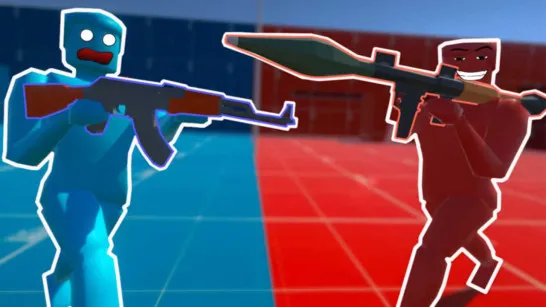
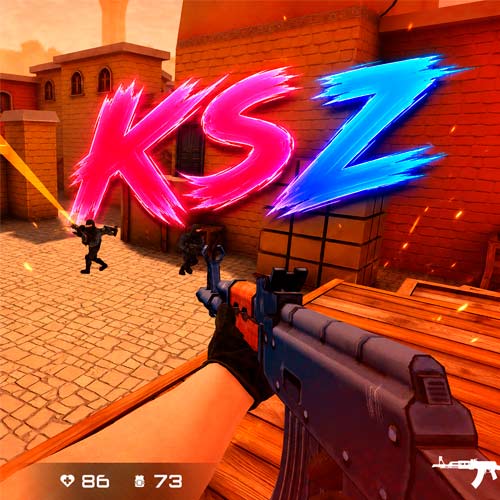
KS Z is a fast-paced online multiplayer shooter that blends tactical combat, team coordination, and intense firefights in colorful 3D battle arenas. In KS Z, players choose between the red or blue side and battle across multiple game modes, each offering different objectives and gameplay styles. Some matches reward teamwork and tactical planning, while others are all about survival and fast eliminations. The stylized graphics keep the action visually clear, making it easy to track enemies and stay focused during intense moments.
How to Play KS Z
KS Z revolves around movement, aiming precision, and adapting to different combat situations. Each match drops players into a battlefield where positioning and weapon choice can completely change the outcome.
You can jump into several modes, including:
- Team battles
- Bomb missions
- Deathmatch
- Zombie survival
- Free-for-All combat
Every mode feels different. Bomb matches reward careful teamwork and map control, while Deathmatch focuses on reflexes and aggressive shooting. Zombie mode changes the pace entirely, forcing players to survive against waves of infected enemies.
The game also includes 17 weapon types, ranging from rifles and pistols to grenades and tactical equipment. Different weapons suit different playstyles, whether you prefer long-range accuracy, close-quarters combat, or explosive attacks. As you continue playing, you can unlock stylish weapon skins to personalize your loadout and make your gear stand out during matches.
KS Z Controls
Here are the default controls for KS Z:
- WASD - Move
- Shift - Walk slowly
- Space - Jump
- C - Crouch
- Left Mouse Button - Shoot
- E - Pick up or drop weapon
- F - Examine weapon
- 1, 2, 3 - Switch weapons
- 4, 5, 6 - Use grenades
- Q - Activate upgrade
The controls feel familiar for fans of FPS and tactical shooting games, making it easy to jump into matches quickly.
Tips to Win More Matches in KS Z
- Move carefully instead of rushing into open areas.
- Test different weapons to find your ideal combat style.
- Use grenades to pressure enemies and control space.
- Stay close to teammates in team-based modes.
- Improve your positioning and map awareness by watching skilled FPS players.
Why Players Enjoy KS Z
A lot of players enjoy KS Z because it combines competitive shooter gameplay with accessible browser-based action. Matches are fast, weapons feel responsive, and the variety of game modes prevents the experience from becoming repetitive. The colorful 3D graphics also make the game feel lighter and easier to approach compared to more realistic military shooters. At the same time, the tactical mechanics still reward skill, precision, and teamwork. Fans of online shooting games, multiplayer FPS games, gun games, and tactical action games will likely feel comfortable in KS Z after only a few matches.
Similar Shooter Games to Try
If you enjoy KS Z, you may also like:
- Counter-Strike - Tactical FPS battles with precise shooting, teamwork, and competitive ranked matches.
- Krunker - Fast shooter featuring pixel graphics, parkour movement, and quick matches.
These games share similar tactical FPS mechanics, competitive multiplayer battles, and skill-based gunplay.
KS Z delivers a satisfying mix of tactical shooting, fast multiplayer action, and flexible combat styles. Pick your side, grab your weapons, and see if you can dominate the battlefield.