Controls
PC
- WASD / Arrow Keys: Move
- Left Mouse Button: Shoot
- Right Mouse Button: Aim
- Space: Jump
- Shift: Sprint
- C: Crouch
- R: Reload
- 1 - 4: Switch weapons
- G: Throw grenade
- F: Switch between first-person and third-person view
- V: Dance
- Tab: View player list
Mobile
- Joystick: Move
- Shoot button: Fire
- Aim button: Aim
- Jump button: Jump
- Crouch button: Crouch
- Reload button: Reload
- Camera button: Change view
- Dance button: Dance














Combat Online 2
About Combat Online 2 Game
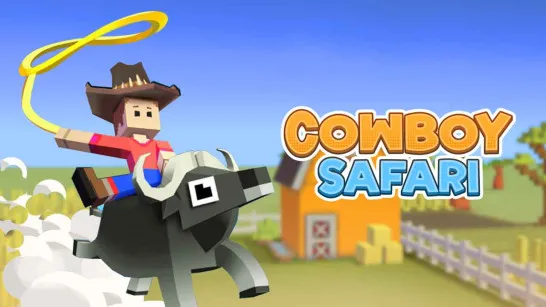
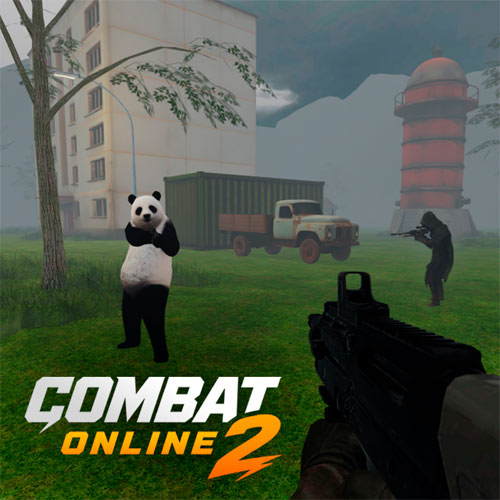
Combat Online 2 is an online chaotic 3D multiplayer FPS focused on competitive gunfights that take place across an ever-growing collection of community-built maps. Grab your weapons, aim from a first-person view, and fight other players in Deathmatch or team-based battles, then switch things up with Zombie, Parkour, and Puzzle maps. What sets the game apart from a typical browser shooter is its player-driven map system: the community can build, publish, play, and rate new battlegrounds. Matches and other activities also earn XP, giving you a path toward new cosmetics and a higher global ranking.
Multiplayer FPS Highlights
- Fast PvP Gunfights: Aim, shoot, reload, and move quickly against online opponents.
- Different Game Modes: Switch between Deathmatch, Team Deathmatch, Zombie, Parkour, and Puzzle experiences.
- Community-Built Maps: Discover hundreds of battlegrounds and challenges created by other players.
- Map Editor: Build and publish your own maps for the community to play and rate.
- XP Progression: Earn experience through matches and activities to unlock rewards and improve your ranking.
- Private Rooms: Create a room on your preferred map and play with friends.
How to Play Combat Online 2
Choose a room and jump into a map that matches the way you want to play. Combat modes focus on shooting and eliminations, while other community maps can test movement, survival, or puzzle-solving instead.
Game Mission
- Fight, Move, and Adapt: Use your weapons to attack opponents while sprinting, jumping, and crouching around the map. Switch weapons as the situation changes, aim when you need more precision, and use grenades to pressure enemies.
- Earn XP and Explore New Maps: Eliminations, victories, and activities such as parkour runs can contribute to your progression. Keep earning XP to improve your ranking and unlock additional rewards while discovering new community-made maps.
FPS Combat Controls
PC
- WASD / Arrow Keys: Move
- Left Mouse Button: Shoot
- Right Mouse Button: Aim
- Space: Jump
- Shift: Sprint
- C: Crouch
- R: Reload
- 1 - 4: Switch weapons
- G: Throw grenade
- F: Switch between first-person and third-person view
- V: Dance
- Tab: View player list
Mobile
- Joystick: Move
- Shoot button: Fire
- Aim button: Aim
- Jump button: Jump
- Crouch button: Crouch
- Reload button: Reload
- Camera button: Change view
- Dance button: Dance
Player-Built Maps Change Every Battle
The map system brings more variety than a fixed set of FPS arenas. Community creators can design and publish their own spaces, ranging from combat-focused battlegrounds to parkour courses and other challenges. Players can then explore and rate these creations, giving well-designed maps greater visibility.
You can also open the editor yourself and turn an idea into a playable map. This creates a second side to the game beyond shooting: one session can be spent chasing eliminations, while the next can be about discovering—or creating—a completely different challenge.
FPS Combat & Map Tips
- Keep moving: Sprint, jump, and use cover instead of fighting from one exposed position.
- Aim when needed: Use ADS when accuracy matters more than immediate movement.
- Switch weapons: Adapt your weapon choice to the distance and situation.
- Learn each map: Routes and sightlines can matter as much as raw aim.
- Play the objective: Adjust your approach when switching from solo combat to team or non-combat maps.
Enter a room, choose your weapon, and play Combat Online, totally for free on your browser!