- WASD / Arrow Keys: Move.
- Mouse: Aim.
- Left Mouse Button: Shoot or pick up weapons.
- Right Mouse Button / R: Throw your weapon.





Time Shooter 2
What is Time Shooter 2?
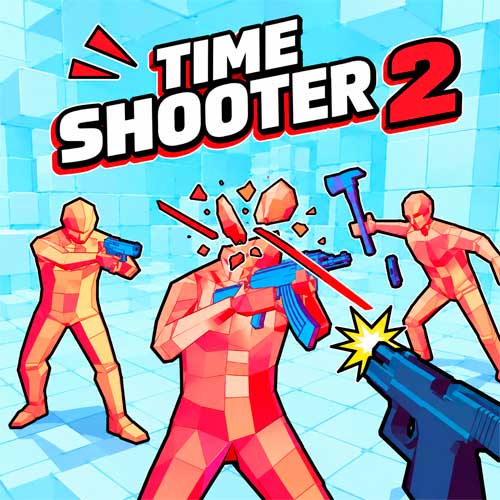
Time Shooter 2 is a 3D FPS game with an unusual rule: time barely moves when you stand still. Every step brings enemy bullets, attacks, and movements back into action, turning ordinary gunfights into tactical challenges.
This first-person shooting game rewards patience as much as accuracy. You can study incoming bullets, identify dangerous enemies, and plan your next move before committing to an attack. But once you start moving, even a seemingly safe position can become deadly.
The minimalist arenas, slow-motion combat, and variety of weapons create an experience where smart decisions matter more than simply firing quickly.
Why Every Shot Requires a Plan
The game adds several interesting elements to its time-based combat:
- Movement-Controlled Time: Slow the action by standing still and advance it by moving.
- Different Weapons: Fight with pistols, shotguns, rifles, and melee weapons found around the arena.
- Weapon Throwing: Turn an empty gun into a projectile or grab another weapon.
- Interactive Environments: Shoot explosive gas cylinders to eliminate nearby enemies.
- Tactical FPS Combat: Survive encounters by combining accurate shooting, positioning, and bullet dodging.
How to Play Time Shooter 2
Your objective is to eliminate every enemy in each encounter without getting shot. The key is controlling when the action advances.
Observe, Move, and Attack
Begin by checking enemy positions and locating available weapons. Standing still slows the surrounding action, giving you time to assess threats. Move toward a useful position, pick up a weapon, and aim carefully. Watch incoming bullets and adjust your movement to avoid their paths. Don't rush into groups of armed enemies. Deal with the most immediate threats first, then reposition before attacking again.
Make the Most of Your Weapons
Ammunition is limited, so every shot matters. When your gun becomes empty, throw it at an opponent or collect another weapon. Look for explosive objects that can damage several enemies at once. These environmental opportunities can help you clear crowded areas without exposing yourself to unnecessary gunfire.
Game Controls
- WASD / Arrow Keys: Move.
- Mouse: Aim.
- Left Mouse Button: Shoot or pick up weapons.
- Right Mouse Button / R: Throw your weapon.
Survival Tips for Slow-Motion Gunfights
- Stop to Think: Examine bullet trajectories before moving.
- Prioritize Armed Enemies: Eliminate opponents who pose the greatest immediate threat.
- Use Cover Wisely: Avoid crossing open spaces without checking your surroundings.
- Save Your Shots: Aim deliberately instead of wasting ammunition.
- Throw Empty Weapons: Use them offensively when another gun is within reach.