
Game Controls
- Up Arrow: Accelerate
- Down Arrow: Brake
- Left/Right Arrows: Steer
- N: Nitro
- C: Change camera view







Traffic Jam 3D
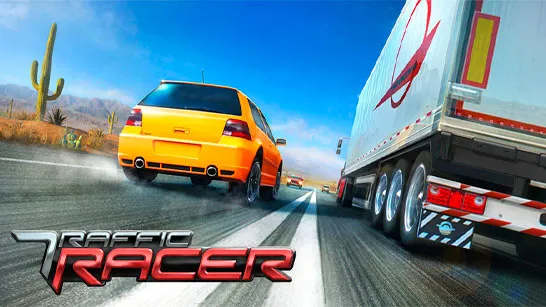
Traffic Jam 3D is a fast, realistic and driving game where all you have to do is to race on the crowded roads without colliding. Seems simple, but when you are maneuvering your way through the traffic jam to pass cars, pass trucks at the very last moment and make a blind run at the check-in point before the time runs out, it becomes challenging.
Depending on the mode you choose, your goals may include:
- Reaching all checkpoints within a time limit
- Collecting enough points before time runs out
- Covering a target distance
- Driving endlessly without crashing
The game loads instantly just hit Play Now, pick a mode, and start racing.
Why Players Love Traffic Jam 3D
Traffic Jam 3D has a special charm: it feels realistic without being overly complicated. The driving physics are smooth, the traffic behavior keeps you alert, and the different modes give the game long-lasting replayability.
Here’s what makes players stick around:
- Four distinct game modes that keep each run fresh
- Responsive driving controls that feel natural
- Rewarding progression with upgrades and new cars
- Visual variety with Highway, Desert, and City tracks
- Fast, intense runs that you can replay endlessly
- It’s the kind of game where “one quick race” easily turns into ten.
Game Modes Overview
Traffic Jam 3D comes with four modes, each offering a different driving experience:
- Career Mode: This is the heart of the game. You’ll take on 80 structured levels, each with a specific mission like hitting checkpoints on time, reaching a set point target, or covering several kilometers before the timer hits zero. The challenges gradually increase, so upgrading your car becomes essential.
- Infinite Mode: No missions, no timers just pure endless driving. See how long you can survive while racking up points from overtakes, high speeds, and driving in the opposite lane.
- Time Against Mode: Here, you’re racing the clock from the very first second. Push the car as fast as you can, but stay sharp one mistake can cost precious time.
- Free Mode: A relaxed practice mode that lets you explore and drive without pressure. You won’t earn coins here, but it’s great for warming up or getting used to new cars.
Choose Your Track and Customize Your Experience
Traffic Jam 3D also lets you pick environments and conditions before you start:
- Tracks: Highway (default), Desert, City
- Time of Day: Morning, Sunset, Night
- Traffic Style: One-way or Two-way
These small touches make each race feel a little different and help keep things from getting repetitive.
Gameplay Tips
If you’re just starting, here are a few helpful tips that make a huge difference:
- Master Close Overtakes: Passing cars closely gives you bonus points. The closer the overtake, the bigger the reward just don’t clip the bumper.
- Use the Opposite Lane: Driving against traffic earns even more points, but also increases your crash risk. Use this technique when the road looks clear.
- Save Nitro for Straightaways: Nitro gives you a burst of speed, perfect for reaching checkpoints in time. Use it only in open, straight sections.
- Upgrade Early: Better brakes, higher speed, and improved handling make tough missions easier. Even small upgrades add up quickly.
- Anticipate Lane Changes: Traffic can shift unpredictably. Keeping a safe middle position helps you escape sudden lane jumps from AI cars.
Upgrade Your Cars and Unlock New Models
Every race earns you in-game money. You can spend it on:
- Upgrades (speed, acceleration, handling, brakes)
- New cars with stronger performance and sharper control
- The harder levels in Career Mode are much easier once you invest in a more powerful vehicle.
Game Controls
The controls are simple and responsive, giving you full control of the vehicle:
- Up Arrow: Accelerate
- Down Arrow: Brake
- Left/Right Arrows: Steer
- N: Nitro
- C: Change camera view
These intuitive keys keep the focus on fast decision-making, not complicated mechanics.
Traffic Jam 3D is one of those driving games that puts you in the state of mind of the game- perfect balance of speedy races, physics, and enough damage on the road to keep the road exciting. Having various game modes, upgrade system, and different environments, it is easy to learn but hard to quit. Playing Traffic Jam 3D, you chase the high-points, complete the grinder missions, or just have fun in the driving game, you will never get tired of it being fast and enjoyable on the way.