PC Controls:
- WASD / Arrow Keys: Move the farmer.
- 1 / 2 / 3: Purchase Capacity, Speed, or Size upgrades.
- X: Open Exchange.
- J: Open Daily Missions.
- L: View the leaderboard.
- Mouse: Drag the virtual joystick or click menu buttons.
Mobile Controls:
- Virtual Joystick: Steer the farmer.
- Tap: Select upgrades and interact with menus.


















Crop Runner
About Crop Runner Game
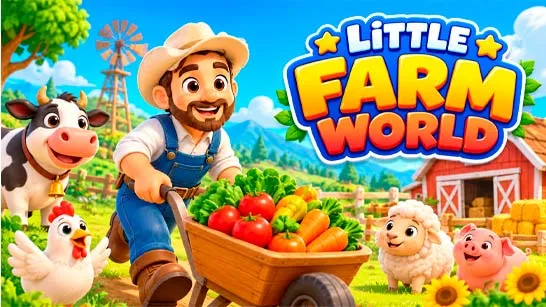
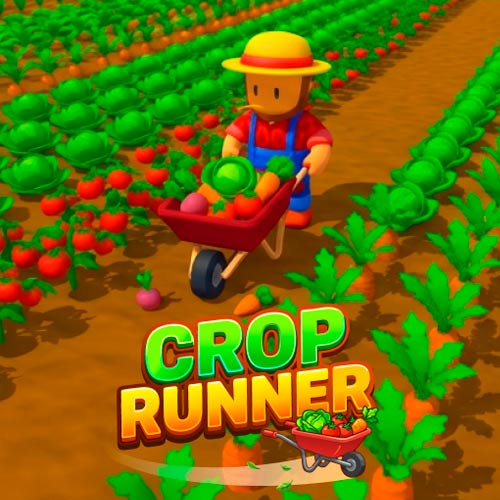
Crop Runner is a colorful 3D farming simulation game that turns harvesting into a satisfying arcade adventure. Take control of a farmer pushing a row of wheelbarrows across crop-filled fields, collecting everything in your path. Sell your produce for coins, expand your harvesting equipment, and gradually clear entire fields in a single sweep.
Starting with just three wheelbarrows, you can expand your row to 40, unlock six unique farms, and discover 40 different crops. Each completed field brings new challenges and rewards, while the relaxed, timer-free gameplay lets you build your farming empire at your own pace.
Highlight Features
- Wide-Row Harvesting: Expand from 3 to 40 wheelbarrows to collect entire rows of crops.
- Six Unique Farms: Unlock new environments, crops, currencies, and harvesting equipment.
- Special Crops: Discover golden crops worth 10× their normal value and oversized crops with bonus rewards.
- Helpful Companions: Recruit animal helpers that automatically harvest alongside you.
- Daily Rewards: Complete five daily missions to earn coins and unlock a Daily Crate.
- Endless Progression: Earn Medals, climb the leaderboard, and unlock Rebirth for greater rewards.
How to Play Crop Runner
Your objective is to harvest crops, earn coins, and improve your machine to collect resources more efficiently. Each successful harvest helps you prepare for bigger farming challenges.
Game Mission
Harvest Crops and Manage Storage
Use your harvesting machine to move through the fields and collect crops automatically. Keep an eye on your storage indicator to see how much you've gathered. When your capacity reaches its limit, head back to unload your crops.
Sell Your Harvest and Buy Upgrades
Bring your collected resources to the selling area to exchange them for coins. Spend your earnings on three important upgrades:
- Speed: Move faster and cover more farmland.
- Capacity: Carry larger harvests before unloading.
- Efficiency: Collect crops more effectively.
Build a More Productive Farm
Keep harvesting and upgrading to improve your farming performance. Try balancing movement speed with storage capacity so you can gather more crops without making too many trips back to the selling area.
Game Controls
PC Controls:
- WASD / Arrow Keys: Move the farmer.
- 1 / 2 / 3: Purchase Capacity, Speed, or Size upgrades.
- X: Open Exchange.
- J: Open Daily Missions.
- L: View the leaderboard.
- Mouse: Drag the virtual joystick or click menu buttons.
Mobile Controls:
- Virtual Joystick: Steer the farmer.
- Tap: Select upgrades and interact with menus.
Tips for Faster Progress
- Upgrade Capacity early to reduce trips to the selling area.
- Increase Size to clear wider sections of farmland.
- Prioritize glowing golden crops for 10× selling value.
- Catch the Runaway Chest for a temporary speed or unlimited-storage boost.