Controls
- PC: Left Click: Produce donuts, buy items, and navigate menus.
- Mobile: Tap: Produce donuts and interact with the interface.












Donut Clicker
Introduction to Donut Clicker
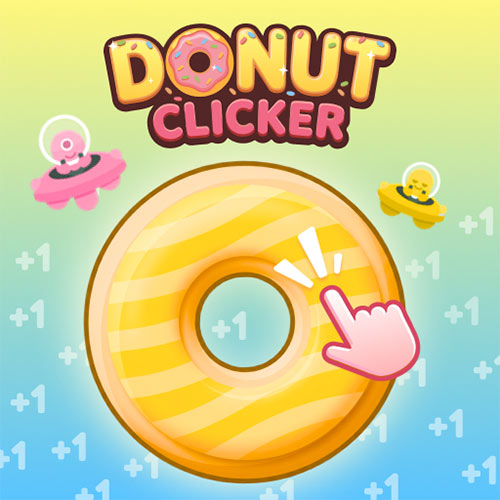
Donut Clicker is a 2D casual idle clicker game where one donut gradually grows into a busy production system. Click the giant donut to earn your first batch, then spend your earnings on buildings that produce donuts automatically. As your output increases, new producers, upgrades, Goals, and hundreds of Awards give you more milestones to reach. In this fun simulation game, you can also customize your donut with different dough, glaze, drizzle, and seasonal designs, adding a creative touch to the steady progression.
Key Features of Donut Clicker
- Click and Idle Production: Earn donuts manually or generate them automatically.
- Building System: Buy producers such as the Dipping Finger and Fry Cook.
- Goals and Awards: Complete milestones and collect hundreds of achievements.
- Donut Skins: Customize dough, glaze, drizzle, and seasonal themes.
- Progress Tracking: Follow your production, purchases, and achievements through Stats.
Gameplay Guide for Donut Clicker
Start by clicking the donut to build your initial supply. Once you have enough, the focus shifts toward spending wisely and increasing passive production.
Gameplay Mechanic
- Grow Your Donut Production: Buy buildings to increase your donuts per second. As production grows, additional buildings become available, giving you stronger ways to automate your bakery.
- Unlock More as You Progress: Keep increasing your total to reach Goals and open new content. Awards provide extra milestones, while upgrades strengthen your long-term progress.
- Give Your Donut a New Look: The Skins menu lets you mix different dough, glaze, and drizzle options. You can also unlock themed designs such as Spooky Sprinkles, Gobble Glaze, and Frosty Flurries.
Donut Clicker Controls
- PC: Left Click: Produce donuts, buy items, and navigate menus.
- Mobile: Tap: Produce donuts and interact with the interface.
Tips and Tricks for Donut Clicker
- Click actively early on to reach your first buildings faster.
- Prioritize passive production once your donuts per second begins growing.
- Save for stronger producers instead of spending everything immediately.
- Follow Goals to give your progression a clear target.
- Check Stats and Awards to find additional milestones to complete.
Create Your Own Donut Style
Progress in Donut Clicker isn't limited to producing bigger numbers. The Skins menu lets you customize separate parts of your donut, including Dough, Glaze, and Drizzle, so you can mix different layers to create your preferred look. There are also themed designs such as Spooky Sprinkles, Gobble Glaze, Sunshine Glaze, and Frosty Flurries, bringing Halloween, autumn, summer, and winter styles into your bakery. These cosmetic unlocks give you something visual to collect alongside production upgrades and Awards.
Donut Clicker isn't only about making one number larger. Build an automated donut operation, chase hundreds of Awards, and unlock new looks while your production keeps climbing.