Game Controls Guide
PC Controls
- Left Mouse Button: Inspect objects, collect items, select inventory items, and interact with puzzles.
- On-Screen Arrows: Move between different views and areas.
Mobile Controls
- Tap: Inspect, collect, select, and interact with objects.
- On-Screen Navigation: Move between different parts of the metro.






















Metro Escape
Introduction to Metro Escape
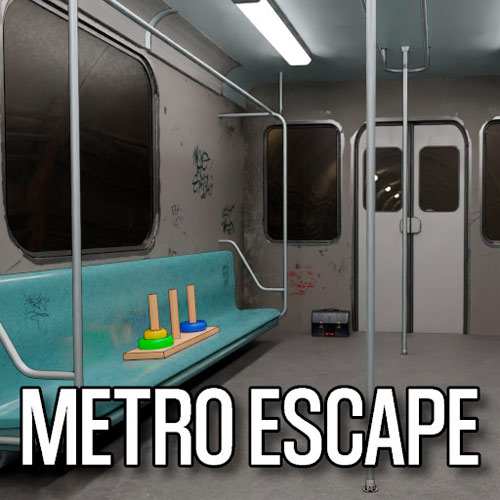
Metro Escape is a point-and-click puzzle game where you explore a metro station, search for useful items, uncover hidden clues, and solve a chain of puzzles to find your way out. The game challenges your observation, logic, and problem-solving skills. Small details can reveal codes or patterns, while objects collected along the way may be the key to unlocking another part of the station.
Metro Escape features three escape levels, each introducing a new set of clues, objects, locks, and environmental puzzles. The controls are simple, leaving you free to focus on examining your surroundings and connecting the information you discover.
Gameplay Guide to Play Metro Escape
Metro Escape follows a classic escape-room loop: explore, investigate, collect, solve, and unlock. Click around each area to inspect objects and search for anything that might help you progress.
Gameplay Mechanic
Find Clues and Useful Items
Pay attention to numbers, colors, symbols, patterns, and unusual objects around the metro. Some clues make sense immediately, while others only become useful after you discover a related puzzle elsewhere. Items you collect are stored in your inventory. Select them when you find a place where they might be useful, whether that means opening something, activating a mechanism, or revealing another clue.
Solve Puzzles to Escape
Progress depends on connecting information from different parts of the environment. You may need to decipher a code, recognize a pattern, unlock a mechanism, or figure out how an inventory item fits into the puzzle. Complete each puzzle chain to open new areas and eventually find the exit.
Game Controls Guide
PC Controls
- Left Mouse Button: Inspect objects, collect items, select inventory items, and interact with puzzles.
- On-Screen Arrows: Move between different views and areas.
Mobile Controls
- Tap: Inspect, collect, select, and interact with objects.
- On-Screen Navigation: Move between different parts of the metro.
Tips to Escape in Metro Escape
- Check Every Corner: Small objects and environmental details can contain important clues.
- Remember Codes and Patterns: A clue found in one area may solve a puzzle somewhere else.
- Inspect Your Inventory: Finding an item is only the first step; think about where it could be used.
- Look for Connections: Colors, symbols, numbers, and positions often correspond to nearby locks or mechanisms.
- Don't Guess Randomly: Most solutions can be worked out from information hidden in the environment.
Metro Escape makes ordinary details part of the puzzle. Can you uncover every clue? Play Metro Escape, search the station, solve each puzzle, and find your way out.