3D Tennis Controls
- Swipe: Play a regular shot.
- Swipe Faster: Perform a smash.
- Swipe Backward: Hit a lob shot.





3D Tennis
Introduction to 3D Tennis
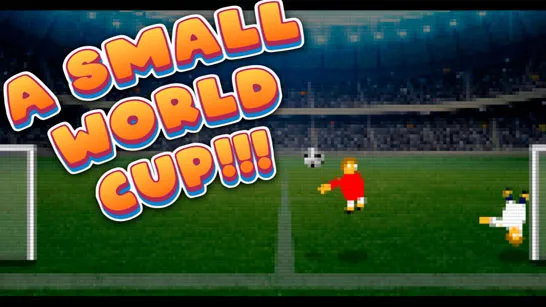
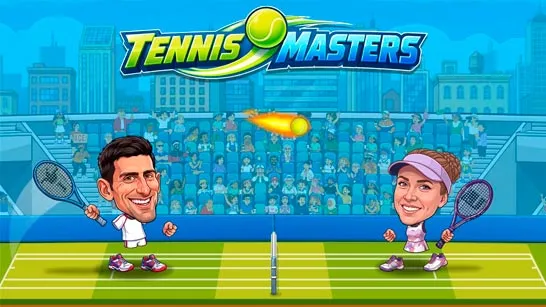
3D Tennis is a 3D tennis game that puts timing, shot placement, and quick reactions at the center of every match. Step onto the tennis court, serve the ball, trade rallies with your opponent, and aim your shots into open space to score points. Simple swipe controls give you several ways to return the ball, including regular shots, powerful smashes, lobs, and drop shots. Beyond standard matches, different game modes let you compete in tournaments, complete challenges, or jump into a quick exhibition. With accessible controls and varied shot types, this realistic sports game makes each rally a test of accuracy and smart positioning.
3D Tennis - A 3D sports game to master different shots, outplay opponents, and win tennis matches
Highlight Features of 3D Tennis
- 3D Tennis Matches: Compete on fully rendered courts against computer-controlled opponents.
- Four Shot Types: Use regular shots, smashes, lobs, and drop shots during rallies.
- Multiple Game Modes: Choose from Tournament, Challenges, ProFun, and Exhibition.
- Swipe Controls: Different swipe gestures determine which tennis shot you perform.
- Skill-Based Rallies: Timing, positioning, and shot placement help you break down your opponent.
Gameplay Guide for 3D Tennis
The basic goal follows traditional tennis: return the ball over the net, keep it inside the court, and force your opponent into a mistake. What makes each rally interesting is choosing the right shot for the situation.
Master the Court in 3D Tennis
- Choose From Different Game Modes: 3D Tennis gives you several ways to play. Tournament focuses on competitive match progression, while Challenges provides specific tennis tests to complete. Exhibition lets you jump into a standalone match, and ProFun provides another option from the main game menu.
- Control Your Shots: Swipe your finger to return the ball, but don't rely on the same shot every time. A faster swipe produces a smash, while a backward swipe performs a lob shot. A two-finger backward swipe gives you a drop shot, adding another option for changing the pace and placement of a rally.
3D Tennis Controls
- Swipe: Play a regular shot.
- Swipe Faster: Perform a smash.
- Swipe Backward: Hit a lob shot.
Tips for 3D Tennis
- Watch Your Opponent: Aim toward open areas of the court instead of returning every ball to the same spot.
- Time Your Swipes: Hit when the ball is in a comfortable position rather than rushing every return.
- Use Lobs Wisely: A lob can help when your opponent moves too close to the net.
- Mix Your Shots: Switch between regular shots, smashes, lobs, and drop shots to make rallies less predictable.
- Don't Overuse Smashes: Power is useful, but good placement can be more effective than hitting every ball as hard as possible.
Step onto the court and put your timing and shot selection to the test. Play 3D Tennis, master every swipe, and outplay your opponents one rally at a time.