Game Controls
PC
- Space / W / Up Arrow - Jump while on the ground
- Hold Space / W / Up Arrow in the air - Flip
- R - Replay
- Esc - Pause
Mobile
- Press and hold the Up button - Prepare the jump
- Release - Jump
- Hold the Up button while airborne - Flip

















Flip Spot
Introduction to Flip Spot
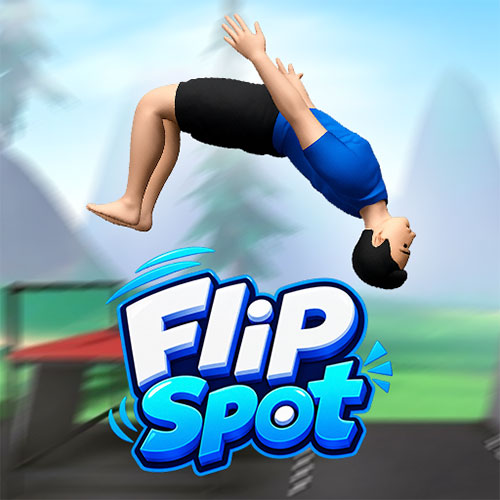
Flip Spot is a 3D physics stunt game where the challenge is to jump from elevated platforms, perform aerial flips, and land upright inside the target area. The character does not move through a traditional obstacle course; instead, each attempt focuses on a single jump and how well you control the rotation in midair. Holding the input while airborne keeps the character flipping, so the real skill lies in releasing at the right moment to line up the feet before landing. Different platform heights and landing distances change the amount of airtime available, making some jumps safer for simple flips while others give you room for more ambitious stunts. A failed landing can be replayed immediately, encouraging small timing adjustments until the jump finally clicks. With simple controls but demanding precision, Flip Spot turns each launch into a quick test of timing, rotation, and landing control.
Flip Spot Key Features
- Aerial Flips – Rotate your character while airborne.
- Precision Landings – Finish upright to complete a stunt successfully.
- Varied Jump Spots – Different heights and platforms change each attempt.
- Simple Controls – Jumping and flipping use the same basic input.
- Quick Replay – Restart failed attempts and adjust your timing.
- 3D Stunt Course – Perform tricks across ramps and elevated structures.
Gameplay Guide for Flip Spot
Flip Spot is easy to control but much less forgiving when it comes to landing. Most attempts come down to judging three things correctly: the jump, the amount of rotation, and when to release before touching down.
Flip and Landing Gameplay
A run starts from an elevated launch point. Press and hold the jump input while on the ground, then release to take off. Once airborne, holding the same control makes the character flip.
The important decision is knowing when to stop. Holding for too long can leave the character upside down or at a bad angle when reaching the landing area. Shorter airtime calls for conservative rotations, while taller launch points provide more room for additional flips.
That creates the main challenge: use the available height without getting greedy. A clean landing is more valuable than attempting another rotation and crashing at the last second.
Game Controls
PC
- Space / W / Up Arrow - Jump while on the ground
- Hold Space / W / Up Arrow in the air - Flip
- R - Replay
- Esc - Pause
Mobile
- Press and hold the Up button - Prepare the jump
- Release - Jump
- Hold the Up button while airborne - Flip
Tips and Tricks for Better Flips
- Learn the airtime first. Use your first attempt at a new spot to judge how long the character stays airborne.
- Release before completing the landing. Waiting until the character is almost touching the ground gives little time to correct excessive rotation.
- Use small jumps for simpler tricks. Save multiple rotations for launch points that provide enough height.
- Watch the character's feet. Their position provides a useful visual cue for lining up an upright landing.
- Replay failed jumps immediately. Small timing adjustments are easier when the previous attempt is still fresh.
Play Flip Spot online now. Find the right launch, hold the rotation just long enough, and see how ambitious a flip you can land without crashing.