Game Controls
- Click and hold - Crouch and prepare your jump.
- Release - Jump.
- Click and hold while airborne - Perform and continue the flip.
- Release before landing - Stop rotating and prepare for a safe touchdown.











Flip or Fail
Introduction to Flip or Fail
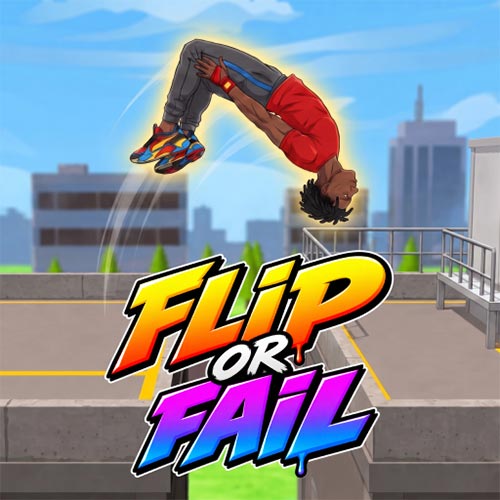
Flip or Fail is a 3D physics-based stunt game about launching a character through the air, controlling the rotation, and sticking the landing in the right spot. The idea may sound simple, but each parkour jump makes you judge distance, height, flip timing, and landing angle before your character's feet touch the ground. There is much more to work through than a single stunt course: the game includes 6 maps, 12 levels, Classic and Arcade modes, plus Challenge mode where you decide your own route toward the destination. Missions also unlock a roster of more than 10 male and female characters, giving successful runs a clear sense of progression. Its graffiti-inspired visual style adds some personality to the urban stunt environments, but landing cleanly remains the part that matters most.
Flip or Fail Highlights
- Physics-based flipping: Control aerial rotation and try to land safely on your feet.
- 6 stunt locations: Flip through a park, harbor, school, rooftop, construction site, and open lot.
- 12 levels: Courses introduce different jump setups and difficulty.
- Classic & Arcade modes: Take on structured stunt challenges with 10 stages per level.
- Challenge mode: Explore the map and create your own sequence of jumps toward the goal.
- 10+ characters: Complete missions to unlock additional male and female characters.
- Leaderboards: Compare scores and Challenge performance with other players.
- Graffiti-style graphics: Urban environments use a distinctive street-art aesthetic.
Gameplay Guide for Flip or Fail
A good run isn't about flipping as many times as possible. First comes the launch, then rotation, and finally the part that decides everything: getting your character upright for the landing.
Complete Mission Through Game Modes
Each stunt starts by judging the gap between your launch point and the intended landing area. Once airborne, control the character's rotation and watch the ground carefully. Too little rotation can leave the character leaning backward; hold the flip too long and you may sail past the safe landing angle entirely.
Classic and Arcade modes provide more structured progression, with each level containing 10 stages of varying difficulty. New layouts change the height, distance, and positioning of jumps, forcing you to adjust rather than repeat exactly the same timing.
Challenge mode is more open. Instead of simply following a predetermined stunt, explore the map, choose where to jump, decide where to land, and connect multiple flips until you reach the destination. This mode also adds camera controls, making it easier to inspect possible routes before committing to a risky jump.
Completing missions contributes to character unlocks, while the leaderboard gives successful flips and Challenge runs something extra to compete for.
Game Controls
- Click and hold - Crouch and prepare your jump.
- Release - Jump.
- Click and hold while airborne - Perform and continue the flip.
- Release before landing - Stop rotating and prepare for a safe touchdown.
Flip Timing and Landing Tips
- Judge the landing before launching. Distance and platform height determine how much rotation you need.
- Don't over-rotate. A flashy extra flip means little if your feet aren't underneath you at touchdown.
- Use short jumps to learn timing. They make it easier to understand how quickly the character rotates.
- Plan ahead in Challenge mode. Check several possible landing points instead of committing to the first route you see.
- Adjust the camera for difficult routes. A wider view can reveal safer platforms or better jump sequences.
Flip or Fail turns every launch into a simple question: can you squeeze in the stunt and still get your feet down safely?