

Rider Rush Game Controls
- W: Drive / accelerate
- S: Brake
- A: Lean left
- D: Lean right
- Arrow Key: Change bike color







Rider Rush
Introduction to Rider Rush
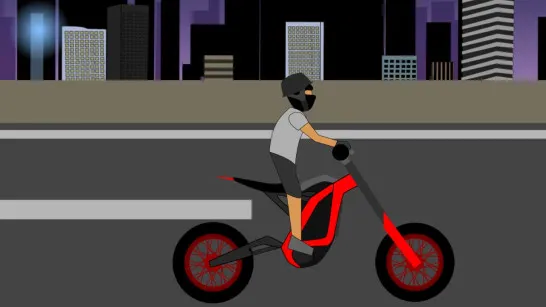
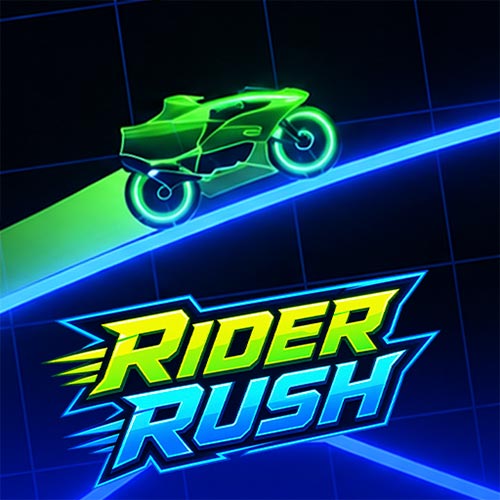
Rider Rush is an exciting online 2D neon bike game where controlling the motorbike matters just as much as driving fast. Each level sends your futuristic motorbike across glowing tracks packed with slopes, gaps, walls, sharp terrain changes, and sections that punish poorly managed momentum. The physics-based handling means acceleration alone will not get you far; braking and leaning become essential for keeping both wheels where they belong. A color-switching system adds another challenge, asking you to change the bike's color when certain stages introduce color-based track elements. With individual courses, multiple level packs, and increasingly unusual layouts, Rider Rush feels more like a precision motorcycle challenge than a straightforward racing game. Learning how speed, balance, and color changes work together is the key to clearing its neon courses.
Key Features of Rider Rush
- Physics-Based Riding: Speed, momentum, and bike angle all matter when crossing slopes, jumps, gaps, and sudden drops.
- Color-Switching Mechanic: Switch between red, green, blue, and yellow to handle color-based sections in certain levels.
- 31 Levels: Work through individual courses with different layouts and challenges instead of riding through one endless track.
- Varied Neon Tracks: Courses such as Holes, The Hills, The Cave, The Pits, and Red Snake introduce different terrain and obstacles.
- Two Level Packs: Ride through The Originals or take on the faster Speed Devil pack.
- Neon Arcade Look: Glowing bikes, bright tracks, and dark grid backgrounds create a futuristic arcade atmosphere.
Gameplay Guide for Rider Rush
Rider Rush is easy to control, but staying on the track takes more than holding the accelerator. Speed, balance, braking, and color switching all come into play as the courses become trickier.
Gameplay Basics
Drive along the neon track and adjust your speed to match the terrain. W accelerates and S brakes, while A and D lean the motorcycle left or right. Leaning is especially useful during jumps, where a small adjustment can make the difference between landing safely and losing control.
Some stages add color-based sections. Use the arrow keys to switch the bike between red, green, blue, and yellow when needed. Each level has its own layout, so learning where the next slope, gap, wall, or color change appears can make later attempts much easier.
Rider Rush Game Controls
- W: Drive / accelerate
- S: Brake
- A: Lean left
- D: Lean right
- Arrow Key: Change bike color
Bike Balance and Color-Switching Tips
- Control your speed: Full throttle is not always the fastest way to finish. Slow down before difficult terrain.
- Balance before landing: Use A and D in the air to line up the bike with the track.
- Brake early: Reduce speed before steep drops, walls, or awkward sections rather than reacting at the last second.
- Learn the color keys: Memorizing each arrow key's color makes switching much quicker.
- Remember tricky sections: Use failed attempts to learn upcoming gaps, slopes, and color changes.
Master the balance between throttle, braking, lean, and color switching in Rider Rush online. Play for free in your browser and see how many of its neon motorcycle courses you can clear without losing control.



















