














FreeCell
What Is FreeCell?
FreeCell is a card game that takes inspiration from classic Solitaire where your goal is simple: Move all 52 cards into four foundation piles, sorted by suit from Ace to King. You’ll be working with: 8 tableau columns, 4 free cells (your temporary holding slots), 4 foundation piles. Unlike many Solitaire games, every card is visible from the start, so success comes down to planning, sequencing, and knowing when to temporarily store cards in the free cells.
How the Game Is Set Up
Here’s the layout you’ll see when a FreeCell game begins:
- Tableau: All 52 cards are dealt face-up into 8 columns:
- Columns 1–4 contain 7 cards each
- Columns 5–8 contain 6 cards each
- You can only move cards that aren’t covered by any other card — usually the bottom card of each column.
- Free Cells: In the top left corner are four open slots. These act like temporary storage. You can place any single playable card here to free up space or set up a long move.
- Foundation: In the top right corner are four foundation piles, one for each suit. Your job is to build each pile from Ace → King in ascending order.
How to Play FreeCell
- Move cards within the tableau: You can move a card onto another tableau card if:
- It’s one rank lower
- It’s the opposite color
- Use the free cells wisely: Each free cell can hold one card. They’re incredibly useful, but don’t fill them all too quickly the more open cells you have, the more cards you can move at once.
- Move cards to the foundation: Whenever an Ace is available, move it to the foundation. Then continue building in order: A → 2 → 3 → … → Q → K
- Move sequences (based on free cell count): The number of cards you can move together depends on how many free cells are empty:
- 4 empty free cells → move 5 cards
- 3 empty free cells → move 4 cards
- 2 empty free cells → move 3 cards
- 1 empty free cell → move 2 cards
- 0 free cells → move 1 card
- Important: If you have an empty tableau column, your move capacity doubles, allowing huge multi-card moves.
- Clear columns: When you empty a tableau column, you can place any single free card into that space extremely helpful for reorganizing the board.
FreeCell Game Controls
FreeCell uses simple, intuitive controls so you can focus on strategy rather than mechanics.
- Left Click – Select a card, move a card, or place a card into a free cell or foundation
- Click + Drag – Move cards or card sequences
- Undo Button – Reverse your last move
- Restart Button – Start a new game instantly
Why FreeCell Feels Different From Other Solitaire Games
- Every card is face-up: No hidden cards means every decision is strategic.
- Skill > luck: Most FreeCell deals are actually winnable; you just have to find the right sequence of moves.
- Calm, puzzle-like gameplay: It’s the type of game you can play slowly, thinking ahead several moves.
- Undo-friendly: If you get stuck, you can undo moves and try a different approach without penalty.
Beginner Tips for FreeCell
- Keep free cells open as long as possible
- Build foundations early when safe
- Clear tableau columns quickly to gain more flexibility
- Check the entire layout before making a big move
- Think several steps ahead — like chess, planning is everything
Similar Games You Might Enjoy
If you like FreeCell, you may also enjoy:
- Spider Solitaire – multi-deck challenge
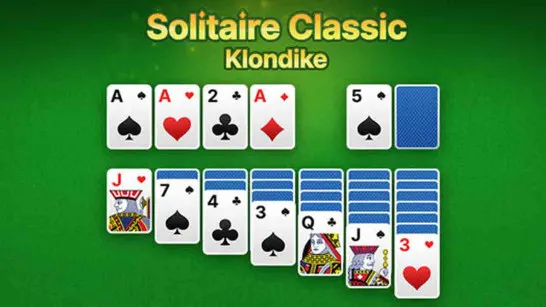
- Classic Solitaire (Klondike) – the traditional version
- Pyramid or TriPeaks – faster, more casual styles
FreeCell is one of those rare card games that stays fun no matter how many times you play it. Each deal feels like its own tiny puzzle, and there’s always that “aha” moment when the board starts opening up and everything clicks into place. If you’re looking for a Solitaire game that rewards thought, planning, and clean strategy, FreeCell is easily one of the best options out there.



















