Game Controls
PC:
- WASD or Arrow Keys - Navigate the environment
- Left Mouse Button - Launch attacks and smash obstacles
- Spacebar - Trigger evasive maneuvers or special abilities
- ESC Key - Access the pause menu
Mobile:
- Drag your finger to guide your character
- Tap action buttons to fight enemies and interact with the world





















School Fury
What Is School Fury?
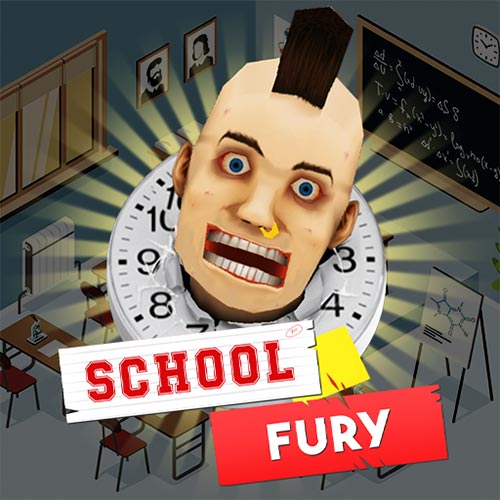
School Fury is a fast-paced arcade destruction game where you turn an ordinary school into complete chaos. You run through classrooms, hallways, cafeterias, and school facilities while smashing furniture, defeating enemies, and triggering ridiculous ragdoll fights everywhere you go.
The gameplay focuses on pure destruction and nonstop action rather than realistic combat. Every run is built around earning higher scores, unlocking stronger upgrades, and creating bigger chains of chaos before enemies overwhelm you. Because of its goofy physics, exaggerated animations, and simple controls, many players treat School Fury as a stress-relief action game perfect for short but chaotic gaming sessions.
Wild Features That Make School Fury So Fun
- Destructible School Maps - Smash desks, lockers, computers, chairs, and entire classrooms.
- Chaotic Ragdoll Combat - Enemies fly across hallways with hilarious physics effects.
- Fast Upgrade System - Unlock stronger attacks, new weapons, and character upgrades.
- Combo-Based Scoring - Chain destruction together to earn massive scores quickly.
- Casual Stress-Relief Gameplay - Simple arcade action focused entirely on chaos and fun.
- Goofy Cartoon Visuals - Funny animations, exaggerated knockback, and nonstop destruction.
How to Play School Fury
The controls are simple, but surviving the chaos becomes harder as more enemies appear.
Destroy Everything in Your Path
Move through different school areas while smashing objects and attacking enemies. Destroying groups of items quickly often creates combo chains that massively increase your score. The faster you create destruction, the faster the gameplay escalates.
Avoid Getting Surrounded
Enemies constantly appear during your rampage. Staying mobile is important because crowded hallways and classrooms can quickly trap careless players. Many experienced players recommend attacking while moving instead of standing still.
Upgrade Between Runs
Points earned from each run can improve your character and weapons. Early damage upgrades usually make the biggest difference because stronger attacks let you clear rooms much faster.
Learn High-Score Routes
Some players replay the same maps repeatedly to memorize the fastest destruction paths. Knowing which rooms contain the most objects can dramatically increase combo scores.
Game Controls
PC:
- WASD or Arrow Keys - Navigate the environment
- Left Mouse Button - Launch attacks and smash obstacles
- Spacebar - Trigger evasive maneuvers or special abilities
- ESC Key - Access the pause menu
Mobile:
- Drag your finger to guide your character
- Tap action buttons to fight enemies and interact with the world
The responsive controls help maintain the game's quick arcade pacing.
Simple Tips to Create Bigger Chaos
- Focus on destroying groups of objects instead of single items
- Keep moving to avoid enemy swarms
- Upgrade attack damage early for faster room clearing
- Use crowded classrooms to build combo chains
- Replay levels to discover better destruction routes
- Knock enemies into furniture for extra chaos and funny ragdoll moments
Ready to turn the entire school upside down? Start playing School Fury now and unleash total arcade chaos with nonstop destruction and hilarious ragdoll action!