Gartic Phone Controls
- Mouse - Draw and interact
- Keyboard - Type sentences and guesses
- Scroll / Color Tools - Change brush size and colors










Gartic Phone
What Is Gartic Phone?
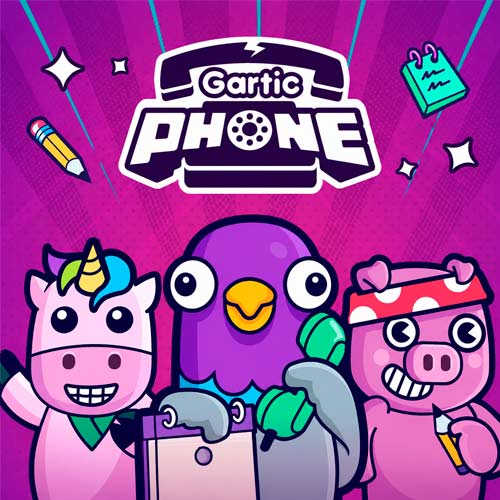
Gartic Phone is a multiplayer drawing and party game where players take turns writing funny sentences, drawing ridiculous sketches, and trying to guess what previous players created. The game is inspired by the classic “telephone game,” except every message transforms into chaotic drawings and hilarious misunderstandings along the way.
One player may start with a simple sentence like “a cat riding a skateboard,” but after several rounds of drawing and guessing, it can turn into something completely absurd. That unpredictable chaos is exactly why Gartic Phone has become one of the most popular online party games for friends, streamers, Discord communities, and casual game nights.
The game combines creativity, humor, and fast-paced drawing into an experience that feels entertaining even if you are terrible at art.
How to Play Gartic Phone
The gameplay changes slightly depending on the mode you choose, but the basic process stays simple.
Instruction to Play Gartic Phone
Step 1: Write a Sentence
At the beginning of the round, each player writes a funny, random, or bizarre sentence. The stranger the sentence, the funnier the final result usually becomes.
Step 2: Draw the Prompt
Another player receives the sentence and must draw it before the timer ends. The challenge is to make the drawing understandable enough for the next player.
Step 3: Guess the Drawing
The next player only sees the drawing and must describe what they think it represents. This is usually where the original idea completely falls apart.
Step 4: Watch the Final Results
At the end of the game, everyone watches the full sequence unfold from the original sentence to the final drawing. These reveal moments are often the funniest part of the entire match.
Popular Game Modes in Gartic Phone
Gartic Phone includes multiple modes that slightly change the gameplay experience.
- Normal Mode: The classic telephone-style experience with writing, drawing, and guessing.
- Knock-Off: Players redraw existing images as closely as possible before the next person continues the chain.
- Animation Mode: Create small animated sequences frame by frame with other players.
- Icebreaker: A more relaxed mode focused on conversations and casual prompts.
- Exquisite Corpse: Each player draws only part of a character or object without seeing the entire picture.
- Story Mode: Players create long collaborative stories through drawings and descriptions.
- Missing Piece: Players complete unfinished drawings while trying to match the original style.
Gartic Phone Controls
The controls are extremely simple and beginner-friendly.
- Mouse - Draw and interact
- Keyboard - Type sentences and guesses
- Scroll / Color Tools - Change brush size and colors
Because the controls are lightweight, the game works smoothly on most browsers and devices.
Best Tips for Playing Gartic Phone
- Keep Sentences Simple but Funny - Overly complicated prompts can become impossible to draw clearly.
- Draw Key Details First - Focus on recognizable objects or actions instead of trying to create perfect artwork.
- Use Voice Chat for Maximum Fun - Most players agree that Gartic Phone becomes much funnier when everyone reacts together in Discord calls.
- Embrace the Chaos - The funniest moments usually happen when the original idea gets completely ruined halfway through the chain.
- Play With Creative Friends - The more imaginative the group becomes, the more ridiculous the results will be.
Ready to ruin your friends’ drawings in the funniest way possible? Play Gartic Phone online now and turn simple sketches into total party-game chaos!