
PC Controls
- Mouse: Click the ball and drag back for power. Move left or right to aim, then release to putt. Drag the course to rotate the camera.
- A/D or ←/→: Aim.
- W/S or ↑/↓: Adjust shot power.
- Space: Shoot.
- C: Toggle free look.
- P or Esc: Pause.
Mobile Controls
- Touch the ball and drag back: Set power. Slide left or right to aim, then lift your finger to putt.
- Drag the course: Rotate the camera.












Golf Masters
What is the Golf Masters Game?
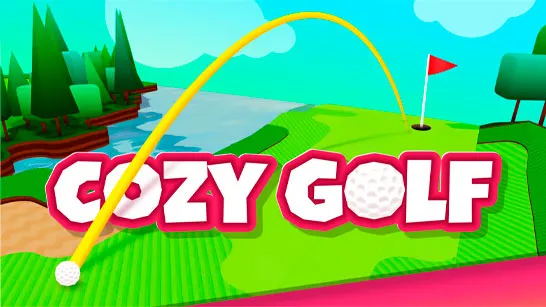
Golf Masters is a competitive 3D mini golf game where reading the terrain can save you a stroke. Bank the ball off wooden borders, adjust your power on slippery ice, and time shots past moving blocks on Magma Isle. Play through 174 handcrafted holes across seven themed areas, from the wooded fairways of Timber Woods to courses with geysers and lava.
The fun is in figuring out how to make each surface work for you. A gentle putt can keep the ball from sliding past the cup on ice, while a well-timed shot into a geyser can launch it across the course.

What Makes These Mini Golf Battles Fun?
- Three-Hole Showdowns: Take on five other golfers. The lowest total stroke count wins, and ties go to a sudden-death shootout.
- 22 Battle Arenas: Unlock new arenas as you level up, including PRO layouts based on the seven themed areas.
- Cups and a Global Leaderboard: Earn cups by playing well on each hole and get a bonus for finishing first or second. Your best result in each arena counts toward your global ranking.
How to Play Golf Masters
The objective is simple: get your ball into the hole using fewer strokes than your competitors. However, reaching the cup takes more than hitting the ball as hard as possible.
Aim Carefully and Control Your Power
Use the aiming guideline to line up your putt. If a corner blocks the direct route, bank off a wooden border. Give the ball extra power through sand and ease off on ice, where it rolls farther. Use a free look to scout a landing spot before taking a blind shot.
In solo play, finishing under par earns three stars. Lava and falls reset the ball to the spot of your last shot. In Battle, finish before the timer expires to keep your chance of earning cups for that hole.
Game Controls
PC Controls
- Mouse: Click the ball and drag back for power. Move left or right to aim, then release to putt. Drag the course to rotate the camera.
- A/D or ←/→: Aim.
- W/S or ↑/↓: Adjust shot power.
- Space: Shoot.
- C: Toggle free look.
- P or Esc: Pause.
Mobile Controls
- Touch the ball and drag back: Set power. Slide left or right to aim, then lift your finger to putt.
- Drag the course: Rotate the camera.
Tips to Improve Your Golf Score
- Study the Course: Check the terrain and obstacles before making your first move.
- Avoid Maximum Power: Stronger shots aren't always better, particularly near corners and hazards.
- Use Slopes Wisely: Let the terrain help guide your ball toward the hole.
- Choose Safe Routes: Avoid risky shortcuts unless they offer a clear advantage.
- Practice Short Putts: Accurate finishing shots can make the difference in close matches.