PC
- WASD / Arrow Keys: Move around the farm.
- Number Keys: Select seeds, tools, or other items.
- Left Mouse Button: Use the selected item.
Mobile
- Virtual Joystick: Move your character.
- Touch Controls: Select items and interact with the farm.

















Grow My Farm
Grow My Farm – Turn a Small Field Into a Farming Business
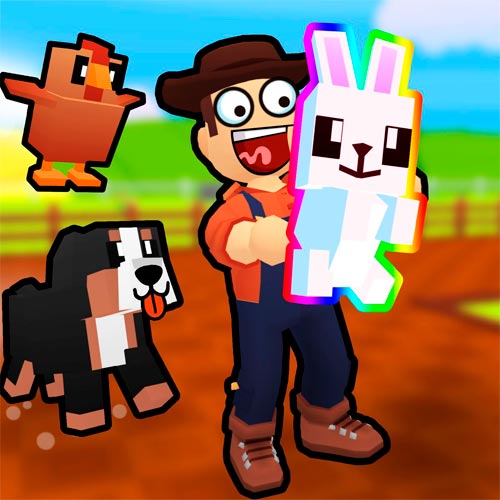
Grow My Farm is a relaxing 3D farming simulation game where a modest patch of land becomes the starting point for your own agricultural business. Plant seeds, care for growing crops, and sell your harvest to earn money for the next stage of expansion.
The appeal isn't simply watching vegetables grow. It's deciding what to do with your earnings. Should you buy more seeds, improve your equipment, or save up for additional farmland? Every harvest gives you another opportunity to make your operation more productive.
There's also a social side to farming. With online multiplayer support, you can share the experience with other players rather than working entirely alone. Whether you prefer steady progress or building a larger farm as quickly as possible, the game lets you develop your business at your own pace.
Game Highlights
- Grow Different Crops: Plant seeds and manage each stage of the growing process.
- Sell Fresh Produce: Turn completed harvests into money at the store.
- Expand Your Farmland: Purchase additional space for a growing agricultural business.
- Improve Your Equipment: Invest in useful tools as your operation develops.
- Farm With Other Players: Enjoy a shared online farming experience.
- Play Across Devices: Manage your fields on a computer, phone, or tablet.
From Fresh Seeds to Your First Profit
Getting started is straightforward, but running an efficient farm takes a little planning.
Plant, Water, and Harvest
Begin by selecting seeds and planting them in available soil. Water your crops, then give them time to mature. Once they're ready, collect the produce and take it to the store to sell.
After your first sale, the farming cycle opens up. You can purchase more seeds and repeat the process, gradually turning a small growing area into a busier operation.
Make Your Earnings Work Harder
Money is most useful when you reinvest it. Expanding your fields creates more planting space, while better equipment can make everyday farm work easier.
However, a larger farm also means more crops to manage. It's worth making sure you can comfortably handle your existing fields before spending everything on expansion.
Game Controls
PC
- WASD / Arrow Keys: Move around the farm.
- Number Keys: Select seeds, tools, or other items.
- Left Mouse Button: Use the selected item.
Mobile
- Virtual Joystick: Move your character.
- Touch Controls: Select items and interact with the farm.
A Smarter Way to Grow
Start with manageable planting areas so you can water and harvest crops without unnecessary trips. Keep enough money available for new seeds instead of spending every coin immediately.
As your farm becomes busier, consider which improvement would save the most effort. More land isn't always the best purchase if your current fields already take plenty of time to maintain.