Controls Guide
PC
- WASD: Move
- Right Mouse Button + Mouse Movement: Control the camera
- Mouse Wheel: Zoom in or out
- Space: Jump
- Tab: Hide or show the mouse cursor
Mobile
- Drag on the Left Side: Move your character
- Drag on the Right Side: Control the camera
- Up Arrow Button: Jump















Build the Pyramid!
Introduction to Build the Pyramid!
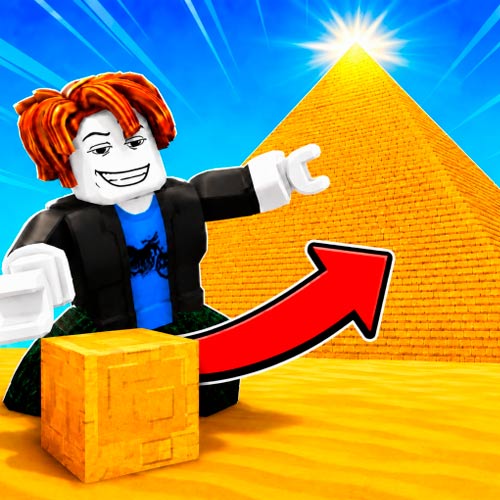
Build the Pyramid! puts you at the foot of a massive pyramid with one simple job: haul stone and help build it from the ground up. This cooperative simulation experience starts with a small carrying capacity, sending you into the quarry to collect limestone before transporting it back to the construction site. Start with a small carrying capacity, walk into the quarry to collect limestone, then transport your load back to the construction site. Training increases your speed and strength, while coins can improve your building efficiency. You can also hire workers to contribute alongside you instead of doing everything alone. Building pyramids to become stronger and continue progressing through increasingly demanding construction projects.
From Limestone to Pyramids: Key Features
- Roblox Building Experience: Gather stone and contribute blocks to gradually complete each pyramid.
- Quarry System: Enter the quarry to collect limestone for construction.
- Strength and Speed Training: Improve how much you can carry and how quickly you move.
- Workers: Hire workers to help gather resources and build alongside you.
- Coins and Upgrades: Earn currency through progression and improve your building efficiency.
- Growing Progression: Complete pyramids to become stronger and move forward to bigger construction challenges.
How to Build the Pyramid!
The core gameplay is straightforward: collect stone, carry it to the pyramid, improve your character, and repeat.
Gather Limestone and Deliver the Blocks
Building starts at the limestone quarry. Walk into the stone pile to fill your current carrying capacity, then bring the load back to the pyramid and add it to the construction progress. At first, you can carry very little, so completing the structure takes repeated trips.
The real progression comes from becoming a better builder. Train Strength to carry more stone and Speed to move between the quarry and pyramid faster. Coins and upgrades further improve your efficiency, while hired workers can contribute alongside you. Once a pyramid is complete, you become stronger and continue building toward the next stage.
Controls Guide
PC
- WASD: Move
- Right Mouse Button + Mouse Movement: Control the camera
- Mouse Wheel: Zoom in or out
- Space: Jump
- Tab: Hide or show the mouse cursor
Mobile
- Drag on the Left Side: Move your character
- Drag on the Right Side: Control the camera
- Up Arrow Button: Jump
Build Faster and Carry More Stone
- Train Your Strength: Higher carrying capacity means fewer trips between the quarry and pyramid.
- Increase Your Speed: Faster movement helps shorten every resource run.
- Keep Your Load Full: Collect as much limestone as your current capacity allows before returning.
- Invest in Upgrades: Use your earnings to improve efficiency rather than relying only on repeated trips.
- Use Workers: Hire additional help so construction can progress more efficiently.
Play Build the Pyramid! online now, train your character, hire workers, and see how far you can take your pyramid-building empire.