Game Controls for Speed and Collision Avoidance
PC
- Up Arrow / Left Mouse Button - Accelerate
- Release the Key or Mouse Button - Reduce speed naturally
Mobile
- Tap and Hold - Accelerate
- Release - Slow down




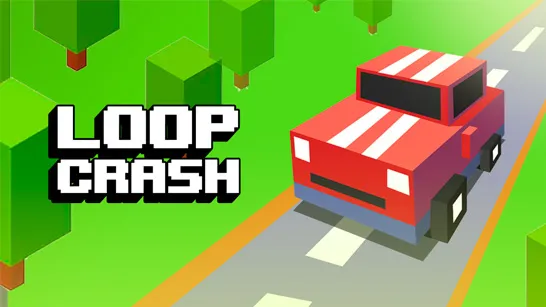





Loop Crash 2
Introduction to Loop Crash 2
Loop Crash 2 is an endless arcade driving game where the entire challenge comes down to controlling speed and avoiding traffic on a looping circuit. Your car follows the track automatically, leaving acceleration and timing in your hands as other vehicles cross your path. Compared with the original Loop Crash, the sequel adds more tracks, difficulty settings, unlockable cars, bonus activities, and leaderboard competition. The longer a run lasts, the busier the road becomes, turning a simple one-button setup into a tense traffic survival test. Success depends on reading openings early and knowing when to push forward - or back off.
Key Features of the Endless Traffic Challenge
- One-Button Arcade Driving - Steering happens automatically, so all attention stays on speed control and collision avoidance.
- Increasing Traffic Pressure - Each completed lap adds more vehicles, shrinking the gaps available for safe movement.
- Multiple Looping Tracks - Different circuit layouts change how traffic approaches and where the most dangerous crossings appear.
- Easy and Hard Difficulties - Learn the timing on manageable roads before facing faster, more crowded traffic patterns.
- Unlockable Cars - Coins earned during runs expand your vehicle collection and add a clear reason to keep improving.
- Reward Bonus Modes - Prize Wheel and Collect Coins activities provide extra opportunities to earn currency between survival attempts.
- Global Leaderboards - Long runs and high scores can be compared with other drivers, giving skilled players a competitive target.
Gameplay Guide for Loop Crash 2
The controls are simple, but surviving more than a few laps requires patience. Traffic rarely stays predictable for long, so each decision should be based on what is entering the circuit.
Core Arcade Traffic Survival Gameplay
- Select a track, difficulty level, and unlocked vehicle before beginning.
- Let the car follow the circular road automatically while watching surrounding traffic.
- Hold the control to accelerate through safe openings.
- Release it early when another vehicle is about to cross or enter your route.
- Complete laps to increase your score and earn coins.
- Expect traffic density to rise as the run continues, leaving less reaction time.
- Spend collected coins on new cars or use bonus activities to gain additional rewards.
- Keep surviving to set a personal record and climb the global leaderboard.
Game Controls for Speed and Collision Avoidance
PC
- Up Arrow / Left Mouse Button - Accelerate
- Release the Key or Mouse Button - Reduce speed naturally
Mobile
- Tap and Hold - Accelerate
- Release - Slow down
Traffic Timing Tips and Tricks
- Watch approaching lanes rather than staring only at your own car.
- Accelerate after a vehicle passes, not while it is still clearing the crossing.
- Use short presses to adjust speed instead of holding the throttle continuously.
- Learn each track on Easy before attempting crowded Hard-mode runs.
- Save coins for vehicle unlocks, but prioritize survival over risky pickups.
Start your driving with Loop Crash online. Keep the throttle under control, read each traffic gap, and find out how many loops you can survive before one mistimed move ends the run.