Game Controls
- WASD / Arrow Keys: Move around the arena.
- Mouse: Navigate menus and choose upgrades.
- Automatic Attack: Weapons fire automatically by default.













Brotato
Brotato Game Overview
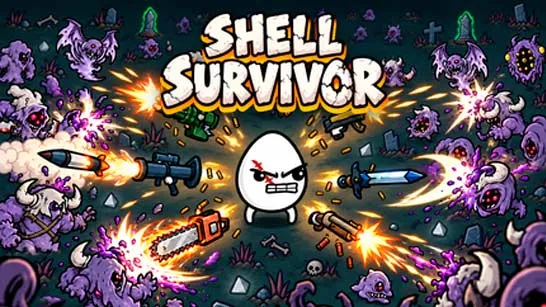
Brotato is top-down roguelite shooter follows a lone survivor from Potato World whose spaceship crashes on an alien planet. Rescue is on the way, but first, he has to survive an army of hostile creatures.
The twist? Brotato can carry up to six weapons at once, turning a tiny potato into a walking arsenal. Guns fire automatically as enemies close in, so your attention stays on movement, positioning, and the upgrades that will keep you alive. What begins as a manageable fight quickly becomes a crowded battlefield where even a small mistake can end your run.

A Different Potato, a Different Fighting Style
- Six weapon slots: Mix guns and melee weapons, or combine matching equipment into stronger versions.
- Character-specific abilities: Some potatoes favor aggressive builds, while others reward careful movement or unusual equipment choices.
- A changing arsenal: Discover weapons and items that alter your damage, attack speed, defense, and other stats.
- Short, intense waves: Battles become increasingly crowded as stronger aliens enter the arena.
- Roguelite progression: Each new run is another opportunity to try a different combination of weapons and upgrades.
Survive the Waves, Build Your Strength
Your goal is to survive 20 waves of increasingly dangerous aliens. Each wave tests your movement and weapons, while the breaks between rounds let you improve your build.
Fight Aliens and Gather Materials
Aliens enter the arena from all directions, and your weapons attack automatically. Keep moving to avoid enemies and collect the materials they drop. You'll also gain experience to level up and unlock stat upgrades. Survive until the timer runs out to complete the wave.
Upgrade Between Waves
After each wave, spend your materials in the shop on weapons and items. Choose upgrades that suit your build, such as increased damage, attack speed, health, or armor. Balance offense and defense to prepare for tougher enemies in the next round.
Game Controls
- WASD / Arrow Keys: Move around the arena.
- Mouse: Navigate menus and choose upgrades.
- Automatic Attack: Weapons fire automatically by default.
Small Decisions That Keep You Alive
- Leave yourself an exit: Moving toward an open area is safer than fighting from a corner.
- Don't ignore defense: Damage matters, but armor and health become increasingly valuable in later waves.
- Make your weapons work together: Choose upgrades that complement your current equipment.
- Collect what you can safely reach: Materials are important, but losing health for a few pickups rarely pays off.