Game Controls
PC
- WASD - Move
- Hold Right Mouse Button - Rotate the camera
- Jump key - Activate Slide when prompted
- Tab - Mouse/cursor interaction
Mobile
- On-screen controls - Move and interact
- Drag the screen - Rotate the camera












Obby: Climb & Slide Minecarts
Introduction to Obby: Climb & Slide Minecarts
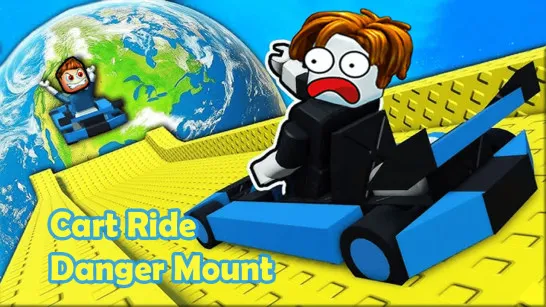
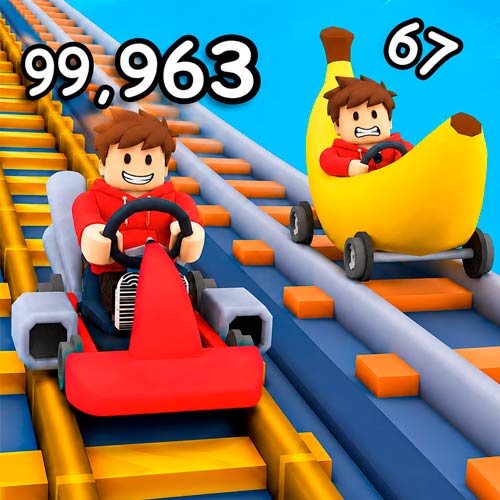
Obby: Climb & Slide Minecarts is a 3D obby climbing game where you ride a minecart upward, earn money, and slide back down for rewards. The higher you climb, the greater the payout becomes, turning vertical progress into the main challenge. Money earned from runs can be used toward new carts, while additional zones open as you push farther up the course. Pets add another layer of progression, with different companions that can be collected and leveled up. Rather than a traditional obstacle course built mainly around jumping, this game puts climbing, minecart rides, rewards, and repeated progression at the center of the loop.
Key Features in Obby: Climb & Slide Minecarts
- Minecart Climbing - Ride upward and push toward greater heights.
- Higher Climb, Bigger Reward - Reaching farther increases the money earned from sliding down.
- New Carts - Spend your earnings to unlock different minecarts.
- Multiple Zones - Progress into new locations as you advance.
- Pet Collection - Collect and level up pets that can help your progression.
- Auto Climb - Keep the cart climbing automatically when the option is enabled.
Gameplay Guide for Obby: Climb & Slide Minecarts
The basic loop is easy to follow, but each climb gives you a reason to push a little farther before cashing in your progress.
Climb and Slide Core Gameplay
A run starts on the climbing tracks, where your minecart moves upward toward increasingly high milestones. The game directly links height to rewards: the higher you climb, the more money you receive after the slide. Once you've reached a height you're satisfied with, use Slide to head back down and collect the displayed reward. That money feeds back into progression, including purchasing new carts and working toward new areas.
An Auto Climb option can keep the upward movement going without constant input. As progression continues, new zones and pets provide additional goals beyond simply beating your previous height.
Game Controls
PC
- WASD - Move
- Hold Right Mouse Button - Rotate the camera
- Jump key - Activate Slide when prompted
- Tab - Mouse/cursor interaction
Mobile
- On-screen controls - Move and interact
- Drag the screen - Rotate the camera
Tips and Tricks to Get More Money
- Climb farther before sliding when you want a larger payout.
- Use Auto Climb to make long upward sections easier to manage.
- Watch the reward amount before choosing when to slide.
- Reinvest your earnings into progression instead of repeating the same setup indefinitely.
- Develop your pets as you unlock them to take advantage of their progression benefits.
Keep pushing your minecart higher, then turn that height into rewards and upgrades in Obby: Climb & Slide Minecarts.