Wave Movement Controls
PC
- Left Mouse Button / Space / W: Hold to move upward.
- Release: Move downward.
- P: Pause.
Mobile
- Hold the Screen: Move upward.
- Release: Move downward.








Wave Race
Introduction to Wave Race
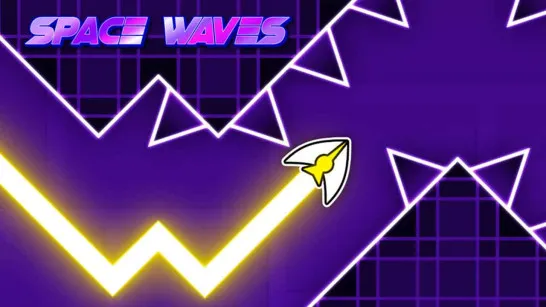
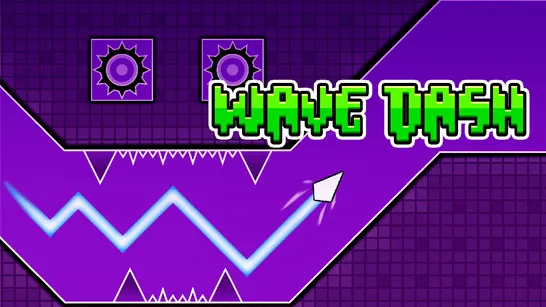
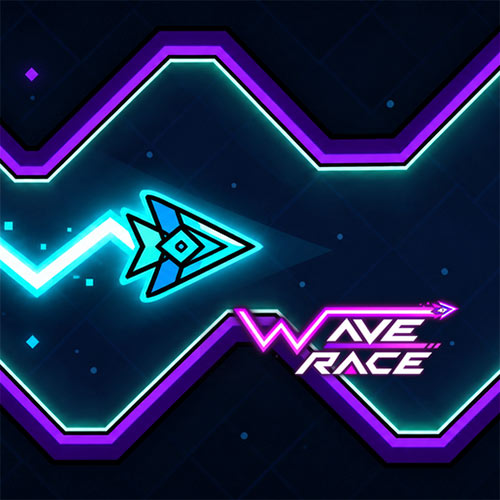
Wave Race is a fast-paced 2D arcade game where a small arrow races through narrow passages packed with spikes, walls, and moving obstacles. The controls revolve around a simple hold-and-release mechanic: rise diagonally with one input, then descend when you let go. Reaching the finish sounds straightforward, but tight gaps leave almost no room for sloppy movement. Progress comes from learning obstacle patterns and controlling each zigzag with better timing. With one-button controls and increasingly demanding courses, this free online browser game turns a simple movement rule into a sharp test of precision and reflexes.
Highlight Features Makes Wave Race Fun
- One-Button Movement: Hold and release to control the arrow's rising and falling trajectory.
- Precision Obstacles: Navigate tight gaps, spikes, walls, and rotating hazards without crashing.
- Varied Difficulty: Easier courses provide more space, while harder challenges demand tighter movement.
- Skill-Based Progress: Success depends on timing and route control rather than character upgrades.
- Quick Retries: Failed runs can quickly turn into another attempt at mastering a difficult section.
Gameplay Guide for Wave Race
Wave Race is easy to control but difficult to master. The key is learning how long to hold each input so the arrow follows a clean path through increasingly narrow spaces.
Control the Wave and Dodge Obstacles
Hold the control to send your arrow upward at an angle, then release to bring it back down. Alternating between the two creates the game's signature zigzag movement.
Watch the path ahead rather than focusing only on the arrow. Spikes, walls, gears, and narrow openings often require small corrections, and holding for even slightly too long can end the run. Harder sections leave less space to recover, making timing, precision, and quick reactions more important than raw speed.
Wave Movement Controls
PC
- Left Mouse Button / Space / W: Hold to move upward.
- Release: Move downward.
- P: Pause.
Mobile
- Hold the Screen: Move upward.
- Release: Move downward.
Tips to Master Difficult Wave Sections
- Use Short Inputs: Quick taps give you finer control inside narrow passages.
- Read the Next Gap: Plan your trajectory before reaching the obstacle.
- Avoid Overcorrecting: Large movements can send the arrow into the opposite wall.
- Prepare for Direction Changes: Gain or lose height early when the safe path shifts sharply.
- Learn Difficult Patterns: Repeated sections become easier once you know where each turn begins.
Play Wave Race and see how precisely you can control the zigzag through its toughest obstacle courses.