Driving Controls
PC
- WASD / Arrow Keys: Drive
- Space: Brake
- B: Look back
- Shift: Reset vehicle
Mobile
- On-Screen Controls: Drive and control your vehicle.
- Tap Available Buttons: Use additional driving actions.









Blacktop: Police Chase
Introduction to Blacktop: Police Chase
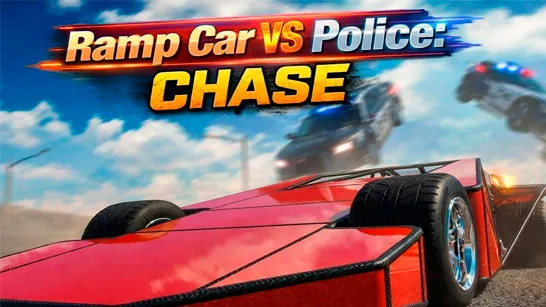
Blacktop: Police Chase is a fast-paced 3D driving game where you become a getaway driver helping bank robbers escape the police. Pick up your passenger, follow the route through the city, dodge roadblocks, and reach the safehouse while police vehicles chase you from behind. Speed alone is not enough - you also need to avoid heavy crashes and keep your vehicle moving as the pursuit becomes more intense. Successful getaways earn cash that can be used to unlock faster cars and heavier vehicles, giving you new ways to handle each chase.
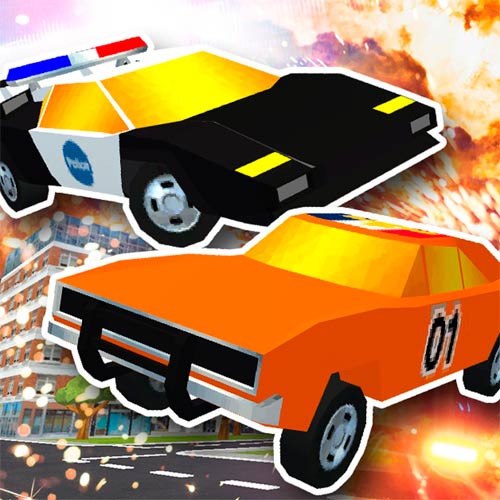
Inside the High-Speed Chases
- Police Chase Gameplay: Escape pursuing cops while driving through busy city streets.
- Getaway Missions: Pick up bank robbers and safely transport them to the safehouse.
- Open City Driving: Explore streets, alleys, bridges, docks, and other routes while escaping.
- Roadblocks and Pursuit: Dodge police vehicles and obstacles as the chase becomes more dangerous.
- Vehicle Progression: Earn cash from successful getaways and unlock faster cars or heavy trucks.
Gameplay Guide for Blacktop: Police Chase
Every mission follows a high-speed getaway loop. Drive to the pickup point, collect the robber, and then follow the navigation marker toward the safehouse while trying to shake off the police.
Pick Up the Robber and Reach the Safehouse
- Pick Up the Robber: Start by driving through the city toward your pickup point. Once the robber gets into your vehicle, follow the green navigation arrow toward the safehouse. The route gives you a general direction, but how you get there depends on your driving.
- Outrun the Police: Police vehicles will pursue you and try to stop the getaway. Maintain your speed, change direction when necessary, and watch for roadblocks ahead. You can also look behind your vehicle to check how close the cops are before making your next move.
- Protect Your Vehicle: Crashing into traffic, obstacles, or police vehicles can slow you down and put the getaway at risk. Avoid unnecessary collisions and use open routes whenever possible to keep your vehicle moving.
- Earn Cash and Unlock Vehicles: Reach the safehouse successfully to earn money. Your cash can be used to unlock new getaway vehicles, including faster cars and heavier trucks. Different vehicle choices give you more options for taking on future police pursuits.
Driving Controls
PC
- WASD / Arrow Keys: Drive
- Space: Brake
- B: Look back
- Shift: Reset vehicle
Mobile
- On-Screen Controls: Drive and control your vehicle.
- Tap Available Buttons: Use additional driving actions.
Tips to Outsmart the Cops
- Keep an eye on the green arrow so you do not lose track of the safehouse.
- Use B to check the police before slowing down or changing direction.
- Maintaining momentum is often more useful than forcing your way through every obstacle.
- Look farther down the road so you have enough time to change your route..
The robbery is over, but the getaway has just begun. Play Blacktop: Police Chase online, hit the streets, escape the cops, and deliver your passenger safely to the hideout.