Controls
PC
- Move Mouse: Aim the bubble launcher.
- Left Mouse Button: Shoot a bubble.
- Left Click: Select Restart, Setup, or Top 10.
Mobile
- Touch and Drag: Adjust the aiming direction.
- Tap: Shoot a bubble or select a menu option.













Bubble Game 3
Clear The Board with Bubble Game 3
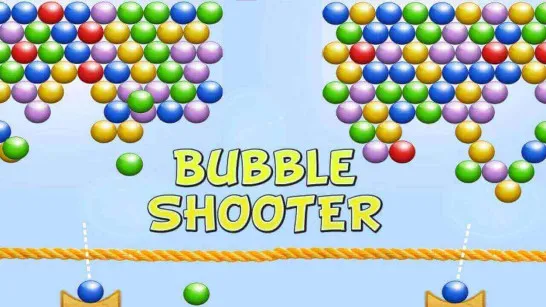
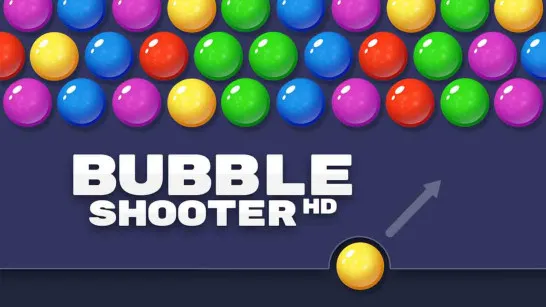
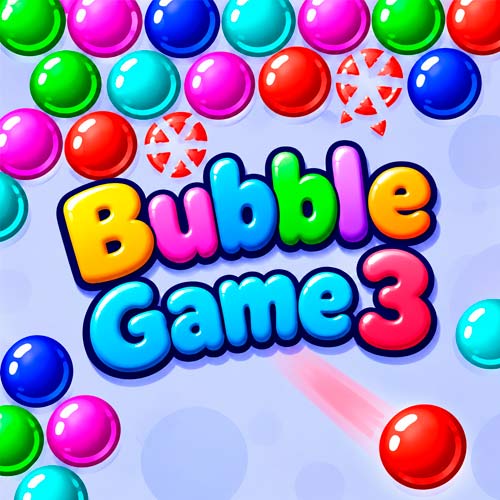
Bubble Game 3 is a classic 2D bubble shooter puzzle game where you launch colorful bubbles toward a crowded playfield, aiming to connect three or more of the same color. One poorly placed bubble can make the whole board harder to clear. Successful matches burst and disappear, opening space for your next shot. Miss too many matches, however, and another row of bubbles appears, pushing the remaining clusters closer to the bottom. With a simple aiming system, a preview of the next bubble, and a Top 10 leaderboard, this casual game turns familiar color-matching rules into a satisfying test of accuracy and planning.
Classic Bubble Shooter Highlights
- Match-3 Bubble Matching: Connect at least three bubbles of the same color to remove them.
- Precision Aiming: Adjust your shooting angle to reach clusters across the board.
- Miss Penalty: Five unsuccessful shots trigger an additional row of bubbles.
- Next Bubble Preview: See the upcoming color and plan your next move.
- Top 10 Scores: Compare your best results on the leaderboard.
- Adjustable Background: Use Setup to customize the playfield's background color.
Match-3 Gameplay
Your goal is to remove every bubble before the growing cluster reaches the bottom of the playfield. Aim from the launcher, match colors, and avoid wasting shots.
Main Mission
Aim, Shoot, and Match Colors: Move the aiming arrow toward a group that matches your current bubble, then click to fire. When your shot connects with at least two bubbles of the same color, the group pops. A shot that fails to create a match stays attached to the board.
Plan Around the Next Bubble: Check the preview beside the launcher before firing. Knowing the next color helps you decide whether to clear an available group immediately or create a better opening for your following shot.
Bubble Shooting Controls
PC
- Move Mouse: Aim the bubble launcher.
- Left Mouse Button: Shoot a bubble.
- Left Click: Select Restart, Setup, or Top 10.
Mobile
- Touch and Drag: Adjust the aiming direction.
- Tap: Shoot a bubble or select a menu option.
Tips and Tricks for Smart Shooting
- Target upper clusters: Removing supporting bubbles can clear larger sections of the board.
- Use the side walls: Try angled bank shots to reach groups blocked by other colors.
- Check the next color: Plan your current shot around the upcoming bubble.
- Avoid unnecessary misses: Five unsuccessful shots bring another row onto the board.
- Keep the center manageable: Prevent clusters from extending too close to the launcher.
Why the Highest Bubbles Matter Most
A large cluster near the bottom may look like the obvious target, but clearing bubbles higher up can be far more effective. When a group supporting other bubbles disappears, the disconnected bubbles can fall away with it.
This makes bubble placement and shooting angles especially important. Sometimes a narrow opening leads to a much larger clear than an easy match near the bottom. A carefully aimed shot can remove several groups at once, giving you more space and reducing the risk of another row pushing the board downward.
Bubble Game 3 keeps the classic bubble-popping formula simple while making every shot count. Find the right angle, clear colorful clusters, and see how high you can climb on the leaderboard!