Controls
PC:
- Left Mouse Button + Drag: Set the ball's direction and throwing motion.
- Release Mouse Button: Roll the bowling ball.
- Curved Mouse Drag: Apply a curved trajectory to the throw.
- Left Click: Navigate menus and select upgrades or bonuses.
Mobile:
- Touch and Swipe: Aim and throw the bowling ball.
- Swipe Faster: Increase throwing power.
- Curved Swipe: Make the ball curve toward the pins.
- Tap: Select menus, items, and bonuses.















The Bowling Club
Roll Your Way with The Bowling Club
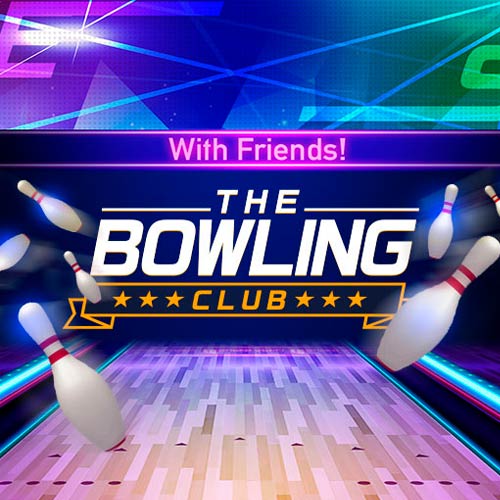
The Bowling Club is a 3D bowling sports game that challenges you to master your aim, control your throwing power, and knock down all ten pins. Each match follows the classic ten-frame bowling format, where strikes and spares help you build a winning score. As you improve, you can earn coins, level up, and unlock useful bonuses such as Golden Balls and extra chances to correct a bad throw. With simple swipe-based controls and plenty of room to sharpen your technique, the game makes competitive bowling easy to enjoy in your browser.
Features The Bowling Club
- Classic Bowling Matches: Play through ten frames and aim for a perfect 300-point game.
- Skill-Based Throwing: Control the ball's direction, speed, and curve with each swipe.
- Strikes and Spares: Knock down all ten pins to maximize your score.
- Golden Pins and Balls: Earn special Golden Balls that deliver more powerful throws.
- Progression and Rewards: Gain experience, level up, and collect coins.
- Helpful Power-Ups: Use Undo, gutter barriers, and special balls to improve your chances.
- Game Modes: Choose regular Play or a quicker score-focused challenge.
The Bowling Club Gameplay Guide
The objective is to score more points than your opponent by knocking down as many pins as possible across ten frames. Accurate throws matter, but choosing when to use your bonuses can also make a difference.
Main Goal
Master Your Bowling Throws
Drag and release the ball toward the pins to launch it down the lane. A faster swipe produces a stronger throw, while the direction of your movement determines the ball's path. You can also use a curved swipe to make the ball hook toward the pins.
Earn Coins and Unlock Special Balls
Successful matches reward you with experience and coins. As you progress from the Beginner rank, you can visit the shop to purchase useful items.
Golden pins are particularly valuable because knocking them down can reward you with Golden Balls. These special balls deliver exceptionally powerful shots, making difficult pin arrangements easier to clear.
Use Bonuses to Recover From Mistakes
Not every throw will go as planned. Undo items let you retry an unsuccessful shot, while gutter barriers help prevent the ball from rolling off the lane. Other upgrades, including Shooting Star and CannonBall, provide additional ways to improve your performance.
Bowling Controls
PC:
- Left Mouse Button + Drag: Set the ball's direction and throwing motion.
- Release Mouse Button: Roll the bowling ball.
- Curved Mouse Drag: Apply a curved trajectory to the throw.
- Left Click: Navigate menus and select upgrades or bonuses.
Mobile:
- Touch and Swipe: Aim and throw the bowling ball.
- Swipe Faster: Increase throwing power.
- Curved Swipe: Make the ball curve toward the pins.
- Tap: Select menus, items, and bonuses.
Tips to Improve Your Bowling Score
- Aim for the pocket: Target the space beside the head pin instead of always aiming directly at its center.
- Control your swipe speed: A powerful throw is useful, but accuracy matters more.
- Experiment with curved shots: A gentle hook can help reach difficult pin arrangements.
- Save special balls: Use Golden Balls when you need extra power to clear stubborn pins.
- Use Undo wisely: Retry poor throws that could cost you an important strike or spare.
In conclusion, The Bowling Club combines familiar bowling rules with rewarding progression and entertaining power-ups. Perfect your throwing technique, collect useful bonuses, and see how close you can get to the ultimate 300-point game!