Game Controls
Desktop
- WASD - Move forward, left, backward, and right
- Mouse - Look and aim
- Left Mouse Button - Shoot
- Right Mouse Button - Aim / ADS
- Space - Jump
- Number Keys (1–9) - Change weapons
Mobile
- Virtual Joystick - Move
- Swipe / Drag on the right side - Look and aim
- Fire Button - Shoot
- Aim Button - Toggle precision aiming
- On-screen Icons - Jump and switch weapons
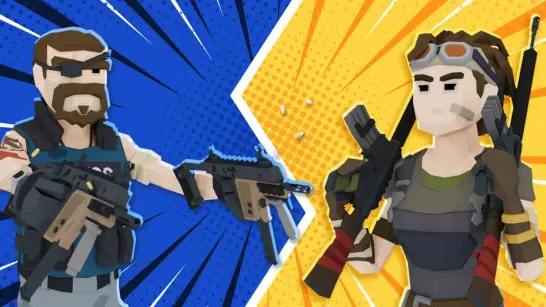
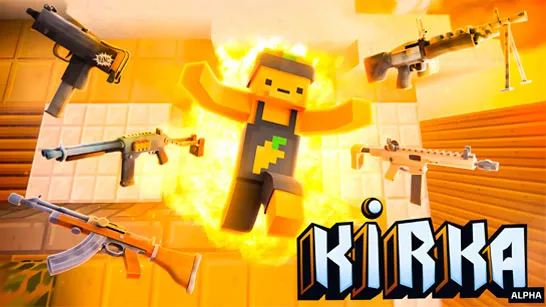



Blockpost
Introduction to Blockpost
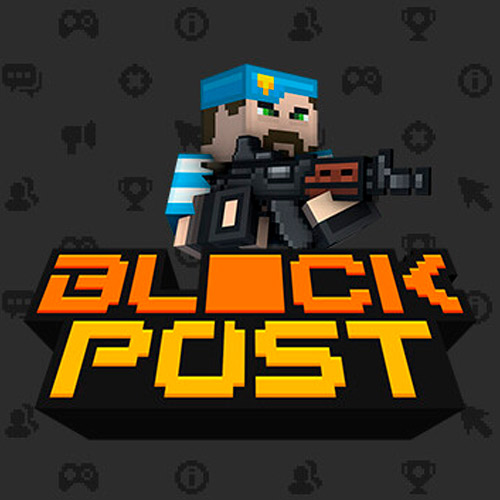
Blockpost is a fast-paced 3D multiplayer shooting game that mixes classic first-person shooting with a distinctive blocky, voxel-style battlefield. Matches put you against real opponents, where accurate aim, quick reactions, positioning, and smart use of cover matter far more than simply holding down the trigger. Its large arsenal of 100+ firearms gives plenty of room to switch between close-range aggression, balanced rifle combat, and long-range shooting, while 20+ maps keep the battlefield from feeling repetitive. Multiple game modes change how each match plays, and the interactive block-based environments add another tactical element to the firefights. As a free online browser game, Blockpost delivers competitive PvP shooting without losing the playful visual identity that makes it instantly recognizable.
Game Highlights
- Real-time multiplayer FPS: Fight real opponents in competitive online matches where aim and positioning determine the outcome.
- 100+ weapons: Pistols, rifles, sniper rifles, and heavier weapons support different combat styles and ranges.
- 20+ battle maps: Varied layouts force you to learn new sightlines, cover positions, and attack routes.
- Multiple game modes: Modes such as Team Deathmatch, Gun Game, Sniper Arena, and Bomb Mode change the objectives and tactics.
- Voxel-style environments: Blocky 3D graphics give Blockpost its recognizable look, while interactive environments can influence how battles unfold.
- Progression and rewards: Playing matches earns coins and helps you level up over time.
Gameplay Guide for Blockpost
Blockpost is easy to pick up if you know competitive FPS games, but good aim alone isn't enough. Weapon choice, cover, positioning, and map awareness all affect your chances of surviving a firefight.
Shooting Gameplay Mechanics
Move through the map carefully, check corners, and use walls to avoid unnecessary exposure. Choose weapons based on combat range: rifles are reliable for general fights, while sniper weapons reward accurate long-range shots.
Different modes also change your approach. Team battles emphasize coordination and map control, while Gun Game tests how quickly you can adapt to different weapons. Matches also earn coins and contribute to your progression.
Game Controls
Desktop
- WASD - Move forward, left, backward, and right
- Mouse - Look and aim
- Left Mouse Button - Shoot
- Right Mouse Button - Aim / ADS
- Space - Jump
- Number Keys (1–9) - Change weapons
Mobile
- Virtual Joystick - Move
- Swipe / Drag on the right side - Look and aim
- Fire Button - Shoot
- Aim Button - Toggle precision aiming
- On-screen Icons - Jump and switch weapons
FPS Combat Tips for Blockpost
- Use cover before firing: Exposing your whole character makes return fire much easier.
- Pre-aim busy corners: Keep your crosshair near likely enemy positions instead of reacting from scratch.
- Match weapons to distance: Don't force close-range weapons into long sightlines.
- Keep moving after a fight: Staying in the same position can make your location predictable.
- Learn each map: Knowing routes, cover, and firing angles gives you an advantage before the shooting even starts.
Ready to test your aim? Play Blockpost online, choose your weapon, control the battlefield, and see how long your shooting skills hold up against real opponents.