Simple Game Controls
Desktop
- Left Mouse Button - Hold and control the bowling ball
- Mouse Flick - Aim and throw; flick speed affects the strength of the roll
Mobile
- Touch and Hold - Control the ball
- Swipe/Flick - Aim and release the ball down the lane



Bowling Stars
Introduction to Bowling Stars
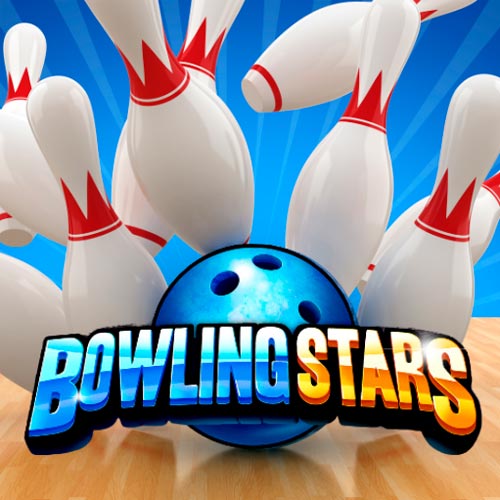
Bowling Stars is a 3D sports simulation game built around one familiar challenge: send the ball down the lane and knock over as many pins as possible. In this skill game, each throw comes down to aim, release speed, and ball direction, making the game easy to understand but harder to master consistently. A quick flick produces a stronger roll, while careful positioning helps you attack the pins from a better angle. The different bowling ball designs add some visual variety between rounds, while the polished alley presentation gives matches a competitive feel. Getting a strike is satisfying; learning how to repeat it is where the real challenge begins.
Bowling Stars Highlights
- Aim-Based Bowling - Line up each roll carefully to give yourself the best path into the pins.
- Flick-Controlled Power - The speed of your gesture affects how hard the bowling ball travels down the lane.
- Ball Direction Control - Guide your shot rather than simply launching straight toward the center.
- Strike-Focused Scoring - Knocking down all the pins rewards accurate placement and controlled throws.
- Multiple Bowling Balls - Choose from more than a dozen ball styles to change your look on the lane.
- 3D Bowling Alley - The lane, pins, and ball are presented from a clear bowling perspective that makes aiming easy to read.
Gameplay Guide for Bowling Stars
The controls take only a moment to learn, but consistently clearing the pins requires a good combination of placement, power, and accuracy.
Bowling Core Gameplay
Before releasing the ball, look at the pin formation and choose where you want your shot to travel. Hold the ball with the cursor or finger, then flick forward to bowl. The speed of that motion determines how strongly the ball is thrown, so simply swiping as hard as possible is not always the best approach.
The real goal is to send the ball into a productive part of the pin formation rather than merely hitting the front pin. Small adjustments to your aim can change how the pins scatter after impact. When a throw leaves pins standing, the next attempt becomes an accuracy test as you try to clean up what remains.
That straightforward aim → flick → hit pins loop makes Bowling Stars approachable, while chasing cleaner throws and more strikes provides the reason to keep improving.
Simple Game Controls
Desktop
- Left Mouse Button - Hold and control the bowling ball
- Mouse Flick - Aim and throw; flick speed affects the strength of the roll
Mobile
- Touch and Hold - Control the ball
- Swipe/Flick - Aim and release the ball down the lane
Tips to Score More Strikes
- Don't automatically aim dead center - Experiment with slightly angled approaches to find a more effective entry into the pins.
- Control your flick speed - Power matters, but a fast throw is wasted if the ball misses its intended line.
- Make small aiming adjustments - If a shot nearly produces a strike, refine the angle instead of completely changing your approach.
- Watch the result of each impact - Notice which pins remain standing and use that information to improve the next throw.
- Prioritize accuracy on spare attempts - When only a few pins remain, target them directly instead of trying to recreate a strike shot.
Find your line, control the strength of your flick, and see how many clean strikes you can put together in Bowling Stars.