Game Controls
PC:
- Mouse: Select the price input field and buttons.
- Keyboard: Enter your esti
Mobile:
- Tap: Select the price input field.
- On-screen Keyboard: Enter a price.
- Tap Submit: Submit your answer.


















Costcodle
Costcodle: How Well Do You Know Costco Prices?
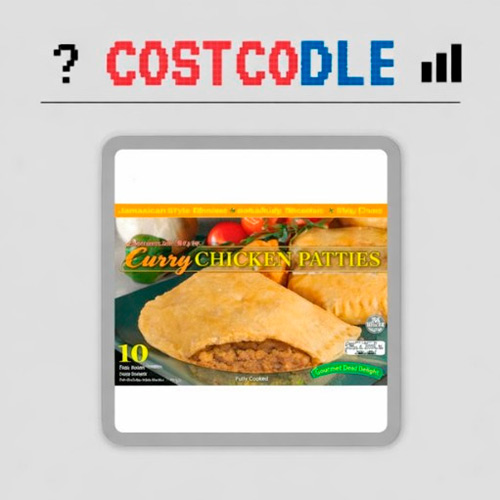
Costcodle is a daily price guessing puzzle inspired by Wordle, but instead of guessing words, you try to figure out how much a real Costco product costs. Each day brings a different item, from everyday groceries to bulk household essentials, and you have just six attempts to estimate its price.
Every guess reveals useful clues about how close you are to the actual cost. A higher-or-lower indicator helps narrow your search, while colored feedback shows whether your estimate is close or wildly off. You don't need to guess the exact price to win, but your answer must fall within 5% of the correct amount. It's a simple challenge that puts your shopping instincts and number sense to the test.
What Makes Costcodle Fun?
- Daily Price Puzzle: Guess the cost of a different Costco product each day.
- Six Attempts: Find the right price range before running out of guesses.
- Real Product Prices: Test your knowledge of everyday items and bulk shopping deals.
- Higher-or-Lower Hints: Use directional clues to adjust your next estimate.
- Color-Coded Feedback: See how close your guesses are to the actual price.
- Daily Streaks: Track your performance and return for another challenge.
- Shareable Results: Compare your guessing skills with friends without revealing the answer.
Gameplay Guide
Your goal is to estimate the price of the featured Costco product within six guesses. A guess counts as correct when it falls within 5% of the actual price.
Examine the Product and Make a Guess
Each puzzle displays a Costco item with its name, image, and product details. Look carefully at the package size, quantity, and type of product before entering your estimated price in US dollars.
Follow the Price Clues
After submitting a guess, the game provides feedback to guide your next attempt:
- Up Arrow: The actual price is higher than your guess.
- Down Arrow: The actual price is lower than your guess.
- Yellow: Your estimate is within 25% of the actual price, but not close enough to win.
- Red: Your estimate is more than 25% away from the correct price.
- Green: Your guess is within 5% of the actual price, completing the puzzle.
Use these clues together to narrow the possible price range instead of making random guesses.
Solve the Daily Puzzle
You have six chances to find an acceptable price. Once you finish, check your results, maintain your streak, and return for the next daily challenge.
Game Controls
PC:
- Mouse: Select the price input field and buttons.
- Keyboard: Enter your esti
Mobile:
- Tap: Select the price input field.
- On-screen Keyboard: Enter a price.
- Tap Submit: Submit your answer.
Tips for Better Price Guesses
- Check the quantity. A multipack or bulk-sized product usually costs more than a single item.
- Start with a reasonable estimate. Consider the product category and package size before your first guess.
- Use higher-or-lower hints. Adjust your estimate according to the direction shown after each attempt.
- Pay attention to yellow feedback. It indicates that you're approaching the correct price range.
- Narrow the gap carefully. Compare your previous guesses to avoid wasting attempts on prices you've already ruled out.