One-button Game Controls
Desktop:
- Left Mouse Button - Shoot
- Mouse / Cursor - Interact with menus and weapon options
Mobile: Tap the Screen - Shoot














Johnny Trigger
Introduction to Johnny Trigger
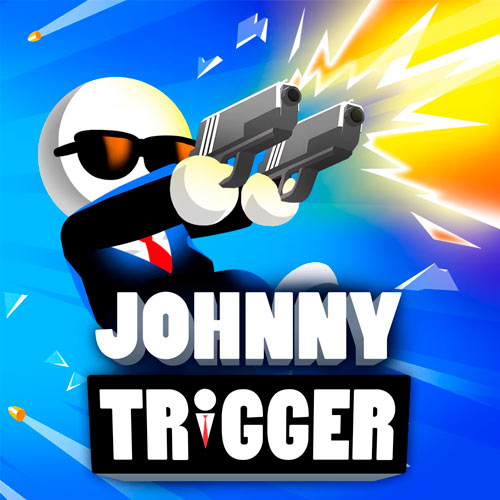
Johnny Trigger is a fast-paced shooting game built around timing, precision, and stylish slow-motion gunfights. Johnny moves through each level automatically, leaving you responsible for the most important decision: when to pull the trigger. Enemies often appear while he is jumping, flipping, or swinging through the air, so a good shot depends on waiting until the aiming line crosses the right target. Limited bullets add pressure because careless firing can leave you without a clean way to finish an encounter. Simple controls and short action sequences make it easy to pick up, while increasingly awkward shooting angles keep later stages challenging.
Game Highlights
- Timing-Based Shooting – Johnny handles much of the movement automatically, putting the focus on choosing the exact moment to fire.
- Slow-Motion Aiming – Action slows during shooting opportunities, giving you a brief window to line up accurate hits.
- Acrobatic Gunfights – Shoot while flipping, jumping, and swinging through different sections of each level.
- Environmental Opportunities – Explosive barrels can appear near enemies, creating alternative targets that can help clear dangerous positions.
- Level-Based Progression – Each stage presents a new sequence of enemies, platforms, and shooting angles.
- Weapon Selection – A Guns section provides additional weapon options as you progress.
Gameplay Guide for Johnny Trigger
Johnny keeps moving once the action begins, so this isn't a shooter where you slowly explore and choose your position. Instead, each encounter is a short test of aim recognition and trigger timing.
Time the Shot Gameplay
As Johnny approaches an enemy, the action gives you an aiming opportunity. Watch the laser line sweep across the scene and fire when it aligns with your target. Shooting too early or too late can waste a bullet, which matters when ammunition is limited.
Later stages make those moments trickier by changing Johnny's position. He may be airborne, upside down, or swinging toward enemies on separate platforms. Rather than firing immediately, wait for the movement to create a reliable angle.
The environment can also work in your favor. When an explosive barrel is positioned near a target, hitting the barrel may be more useful than aiming directly at the enemy. The basic rhythm stays simple - move automatically, read the setup, time the shot, and continue forward - but the changing layouts keep demanding better precision.
One-button Game Controls
Desktop:
- Left Mouse Button - Shoot
- Mouse / Cursor - Interact with menus and weapon options
Mobile: Tap the Screen - Shoot
Movement is handled automatically during the level.
Tips for Better Shots
- Wait for alignment – Don't fire just because an enemy appears; watch the aiming line first.
- Count your bullets – Avoid unnecessary shots when ammunition is limited.
- Use explosive barrels wisely – A well-timed environmental shot can deal with a difficult enemy setup.
- Account for Johnny's movement – During flips or swings, let the aiming angle develop before firing.
- Scan the whole setup – Check for multiple enemies and useful objects before choosing your target.
Follow Johnny's movement, wait for the clean firing line, and make every bullet count in Johnny Trigger.