Controls Guide
- W / ↑ to accelerate
- S / ↓ to brake
- A / ← to steer left
- D / → to steer right
- Space to handbrake
- Mouse / C to change camera view











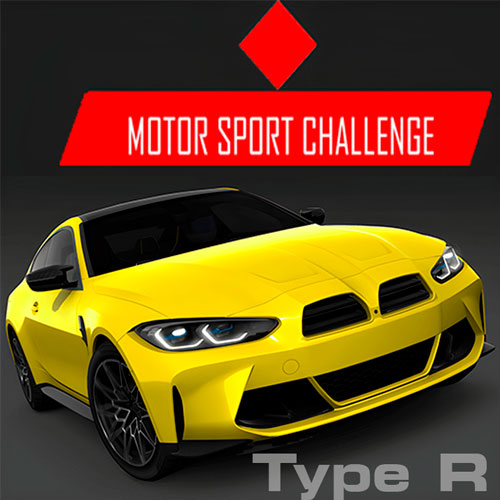
Motor Sport Challenge Type R
About Motor Sport Challenge Type R Game
Motor Sport Challenge Type R is a fast-paced racing simulator that focuses on precision driving, quick reactions, and steady progression across multiple race formats. With various luxury cars to unlock and competitive modes, the driving game offers a flexible experience whether you enjoy short time trials or longer endurance-style challenges. Each vehicle comes with its own engine sound, which adds personality to every race and makes switching cars feel meaningful instead of cosmetic.
What keeps players engaged is the steady rhythm of improving lap times, earning credits, and gradually unlocking new vehicles as the career mode opens up more content.
How to Play Motor Sport Challenge Type R
Core Gameplay
In Motor Sport Challenge Type R, success depends on more than raw speed. Focus on smooth cornering, precise braking, and maintaining control through technical sections to improve lap times consistently.
Start with the Porsche 911 GT3, a reliable beginner-friendly car. As you earn credits from races and fast laps, you unlock stronger vehicles such as the McLaren 650S GT3, Mercedes-AMG GT3, Ferrari 296 GT3, and BMW M4 GT3, each suited to different driving styles.
You can also choose between multiple racing circuits:
- Oval - Best for practicing speed stability
- Red Bull Ring - Longer layout with technical turns
- Red Bull Ring (Short) - Compact track for quick sessions
Coins unlock additional cars and tracks, while switching camera views can help improve control on tighter corners. In racing terms: sometimes the fastest upgrade is simply seeing the road better.
Controls Guide
- W / ↑ to accelerate
- S / ↓ to brake
- A / ← to steer left
- D / → to steer right
- Space to handbrake
- Mouse / C to change camera view
Using the handbrake wisely during sharper turns is especially helpful in tighter track sections.
Tips to Improve Your Lap Times Faster
Players often discover that progress comes from consistency rather than risky speed bursts. A few simple habits can make races smoother:
- Brake earlier before sharp corners instead of correcting late
- Test different camera views on technical tracks
- Save credits to unlock stronger cars in career progression
- Adjust your driving style depending on the race mode
These small adjustments quickly add up across multiple races.
Why Racing Fans Keep Coming Back
Motor Sport Challenge Type R works well because it offers enough structure to feel rewarding without becoming complicated. Unlocking new cars, experimenting with race modes, and improving lap times creates a steady sense of progress that keeps each session interesting. Whether you are chasing faster results in Time Trial or surviving elimination rounds, this racing game gives you plenty of reasons to try “just one more race.”