Game Controls
PC
- Left Mouse Button - Select, merge, move items, and interact with the game.
Mobile
- Tap and Drag - Merge items, collect rewards, and decorate rooms.






















Designville: Merge & Design
Introduction to Designville: Merge & Design
Designville: Merge & Design is a casual merge puzzle and home design game where you renovate abandoned spaces, merge everyday items into useful tools, and create beautiful interiors for a growing list of clients. Starting with a run-down house, you'll help Louise and Robin transform it into the most successful design studio in town through clever merging, creative decorating, and satisfying home makeovers.
Every renovation begins on a merge board filled with boxes and dusty household objects. By combining matching items, you'll discover better tools, earn coins, complete renovation tasks, and unlock fresh furniture and decorations. With relaxing gameplay, charming characters, and complete design freedom, every project feels rewarding from start to finish.
Notable Game Features
- Relaxing Merge Gameplay: Combine everyday items to craft better tools and unlock new discoveries.
- Creative Home Renovation: Restore houses, decorate rooms, renovate gardens, and transform abandoned spaces.
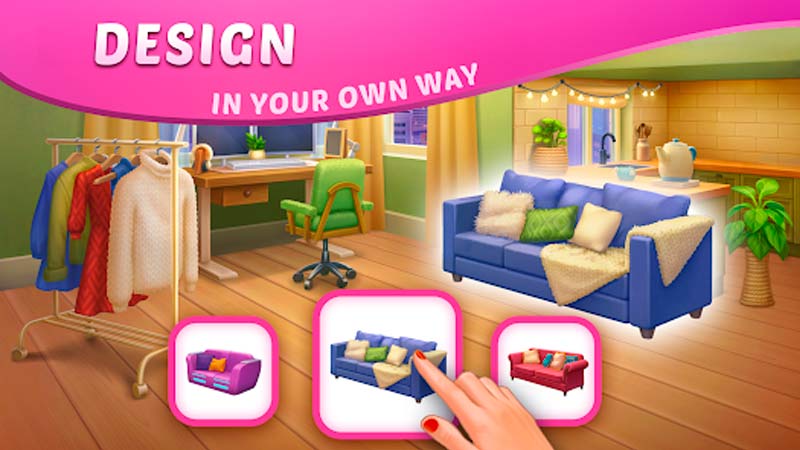
- Design Without Limits: Choose furniture, layouts, and decorations to create your own unique interiors.
- Fun Story Campaign: Meet memorable characters, complete client requests, and grow your design studio.
- Hundreds of Merge Combinations: Discover increasingly valuable items through satisfying merge chains.
- Rewarding Progression: Earn coins, level up, unlock new projects, and expand your remodeling business.
Gameplay Guide for Designville: Merge & Design
Every renovation starts with a messy board full of hidden potential. Merge wisely, complete renovation tasks, and turn neglected buildings into stunning dream spaces.
Gameplay Basics
- Merge Items to Create Better Tools: Tap the yellow supply bag to generate push pins, then merge identical objects to create more advanced tools. Continue combining items to unlock new merge chains and valuable resources.
- Complete Renovation Tasks: Each successful merge earns coins that can be spent on your renovation checklist. Completing these tasks gradually restores rooms, gardens, and eventually your entire design studio.
- Decorate Every Space: As projects progress, choose furniture, decorations, and layouts that match your personal design style. Every makeover is an opportunity to create something unique.
- Grow Your Design Business: After renovating your own studio, new clients will arrive with increasingly challenging home makeover projects that help expand your reputation across Designville.
Game Controls
PC
- Left Mouse Button - Select, merge, move items, and interact with the game.
Mobile
- Tap and Drag - Merge items, collect rewards, and decorate rooms.
Smart Tips Tricks
- Keep the Board Organized: Free space makes long merge chains much easier to manage.
- Focus on Merge Chains: Higher-level tools are more valuable than many low-level items.
- Complete Tasks Regularly: Finishing renovation goals unlocks new areas and decorations faster.
- Use Resources Wisely: Spend coins on active renovation objectives before cosmetic upgrades.
- Merge Whenever Possible: Every new discovery brings you closer to unlocking better tools and bigger projects.
Ready to Build Your Dream Design Studio?
Step into Designville: Merge & Design and unleash your creativity! Merge useful tools, renovate beautiful homes, decorate stylish interiors, and grow the most successful design studio in town one makeover at a time.