
Controls Guide
- W / Up Arrow - Take off
- S / Down Arrow - Take on
- A / Left Arrow - Turn left
- D / Right Arrow - Turn right
- Mouse or On-Screen Controls - Adjust aircraft movement
- Brake Button - Slow down on the runway
- Landing Gear Button - Deploy or retract landing gear














Boeing Flight Simulator
What Is Boeing Flight Simulator?
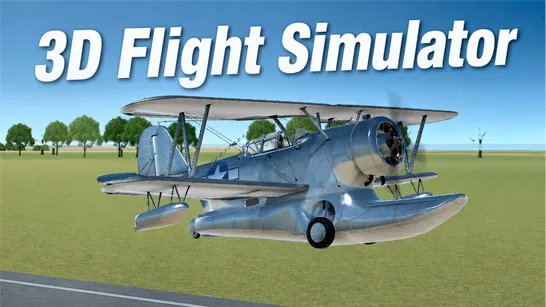
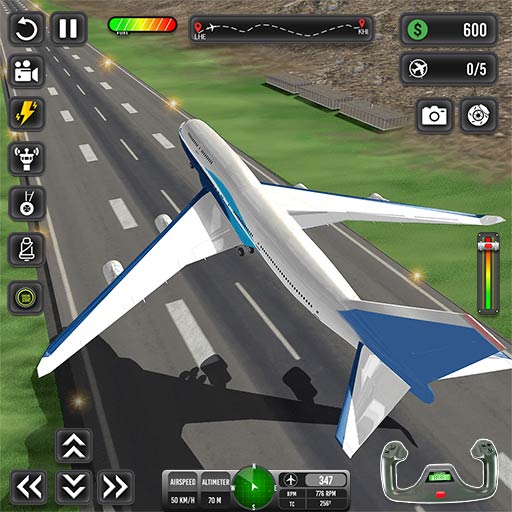
Boeing Flight Simulator is a 3D aircraft simulation game that puts you in the cockpit of a commercial airliner and challenges you to complete realistic flight missions. From taxiing down the runway and taking off to navigating checkpoints and landing safely at your destination, every flight requires precision, patience, and control.
Boeing Flight Simulator emphasizes the experience of operating a passenger aircraft. You'll manage speed, altitude, fuel, and landing procedures while completing increasingly demanding aviation tasks. Boeing Flight Simulator offers an accessible introduction to the world of aviation.
Realistic and Exciting Features
- Commercial Aircraft Simulation: Pilot large Boeing-style passenger airplanes through various flight scenarios.
- Mission-Based Progression: Complete objectives to unlock new stages and continue your aviation career.
- Aircraft Upgrades and Unlocks: Earn in-game currency to access additional planes and flight opportunities.
- Fuel Management: Monitor your fuel levels during flights and plan your route efficiently.
- Immersive 3D Environments: Fly over detailed landscapes while enjoying a cockpit-inspired flight experience.
How to Play Boeing Flight Simulator
Success starts before your aircraft even leaves the ground.
Gameplay Mechanics
- Accelerate for Takeoff: Build enough speed on the runway before gently lifting the aircraft into the air.
- Follow Flight Markers: Green checkpoints guide you toward your destination and help keep your flight path on course.
- Maintain Stable Flight: Avoid sudden altitude changes and try to keep the aircraft balanced during long-distance flights.
- Prepare for Landing: As you approach the airport, reduce speed gradually and align your aircraft with the runway.
- Complete Passenger Missions: Many objectives require safely transporting passengers from one airport to another without crashing.
Controls Guide
- W / Up Arrow - Take off
- S / Down Arrow - Take on
- A / Left Arrow - Turn left
- D / Right Arrow - Turn right
- Mouse or On-Screen Controls - Adjust aircraft movement
- Brake Button - Slow down on the runway
- Landing Gear Button - Deploy or retract landing gear
Tips for Better Flights
- Don't Rush the Takeoff: Many beginners try lifting off too early. Build sufficient speed before leaving the runway.
- Watch Your Fuel: Running out of fuel during a mission can quickly end an otherwise successful flight.
- Use Smooth Movements: Large aircraft respond best to gradual adjustments rather than sharp turns.
- Line Up Early for Landing: Experienced players often begin preparing for landing long before reaching the runway.
- Learn Aircraft Behavior: Each plane may feel slightly different, so practice helps improve consistency.
Start your engines, take to the skies, and see if you have what it takes to become a successful virtual pilot.