
Basic Aircraft Controls
- E - Start engine
- 0 / 9 - Increase or decrease throttle
- W / Q - Adjust flaps
- G - Toggle landing gear
- Arrow Keys - Control flight surfaces
- X / Z - Rudder controls
Camera and View Controls
- 1 - Pilot view
- 2 - Follow view
- 3 - Fly-by view
- C - Change camera
Additional Options
- H - Show controls
- R - Restart
- M - Mouse joystick mode
- K - Standard input mode












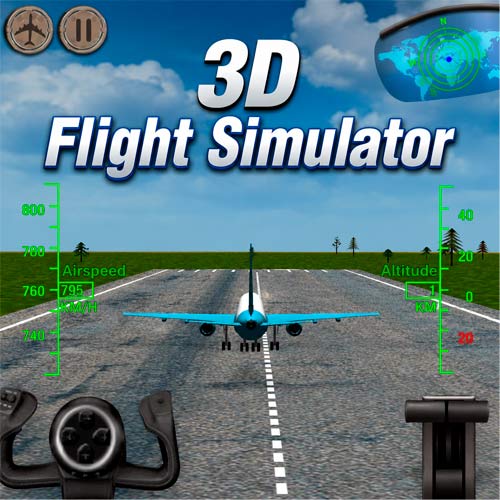
3D Flight Simulator
What Is 3D Flight Simulator?
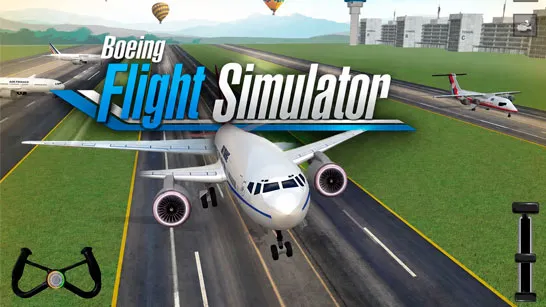
3D Flight Simulator is a realistic aircraft simulation game that lets you take control of multiple airplanes and a helicopter in a large open-world environment. Instead of focusing on races or arcade-style flying, the game challenges players to learn genuine flight mechanics, including takeoff, landing, throttle control, and aerial navigation. Unlike many flying games that simplify controls, 3D Flight Simulator gives players access to a more authentic flight experience.
Before taking off, you'll need to start the engine, increase the throttle, and build enough speed to leave the runway. Once airborne, managing altitude, direction, and speed becomes essential for maintaining stable flight. The learning curve may feel challenging at first, but that's also what makes successful takeoffs and smooth landings so satisfying.
Why 3D Flight Simulator Stands Out
From realistic controls to multiple aircraft options, several features make this simulator worth exploring.
- Pilot Different Aircraft: The game includes six airplanes and one helicopter, allowing players to experiment with different flying styles and handling characteristics.
- Large Open Environment: You'll have access to a spacious map with multiple starting locations. This gives you plenty of room to practice takeoffs, landings, and free-flight exploration.
- Realistic Flight Mechanics: Throttle management, control surfaces, landing gear, flaps, and camera views all play a role in creating an immersive simulation experience.
- Helicopter Flying Challenges: In addition to airplanes, players can pilot a helicopter, which requires a completely different approach to movement and control.
- Multiple Camera Views: Switch between different perspectives to find the view that best suits your flying style, whether you prefer cockpit immersion or external aircraft views.
How to Take Off
Getting into the air is easier once you understand the basics:
- Press E to start the engine.
- Hold 0 to increase the throttle.
- Accelerate along the runway.
- Once your speed reaches roughly 40 knots, press the Down Arrow to lift off.
- Adjust your altitude and direction as you begin flying.
For helicopters, movement relies on a combination of flight controls that require practice to master.
Game Controls Guide
3D Flight Simulator features a wide range of controls that simulate real aircraft functions.
Basic Aircraft Controls
- E - Start engine
- 0 / 9 - Increase or decrease throttle
- W / Q - Adjust flaps
- G - Toggle landing gear
- Arrow Keys - Control flight surfaces
- X / Z - Rudder controls
Camera and View Controls
- 1 - Pilot view
- 2 - Follow view
- 3 - Fly-by view
- C - Change camera
Additional Options
- H - Show controls
- R - Restart
- M - Mouse joystick mode
- K - Standard input mode
Tips for New Pilots
- Start With Airplanes: Most players find airplanes easier to learn before moving on to helicopters.
- Practice Landings: Takeoffs are only half the challenge. Learning how to reduce speed and land safely is where many beginners improve their piloting skills.
- Use Different Camera Angles: Changing views can help you better judge altitude, direction, and runway alignment.
- Be Patient: Many players crash their first few attempts. That's completely normal. Learning how aircraft respond to controls is part of the experience.
More Vehicle Simulation Games
- Truck Simulator - Drive powerful trucks, deliver cargo, and master realistic roads.
- Driving School Simulator – Practice realistic driving techniques, parking, and road control.
- Motor Sport Challenge – Test your driving precision across realistic automotive challenges.
- City Constructor – Operate heavy machinery and complete construction tasks.
3D Flight Simulator offers a rewarding introduction to aviation by combining realistic controls, multiple aircraft, and a large open environment. Whether you're practicing smooth landings, experimenting with helicopter controls, or simply enjoying the freedom of flight, the game delivers an engaging simulation experience that rewards patience and skill.
Take your seat in the cockpit, start the engine, and see if you have what it takes to become a virtual pilot.