
Controls Guide
- WASD - Move
- Mouse - Aim
- Left Click - Shoot
- Mouse Scroll - Switch weapons
- Spacebar - Jump
- E - Pick up weapons
- Q - Throw weapons
- R - Reload
- B - Buy menu / plant or defuse bomb
- G - Throw grenades
- F - Switch grenades
- Shift - Crouch
- T - Chat
- Tab - View stats
- P - Pause


Forward Assault
What Is Forward Assault?
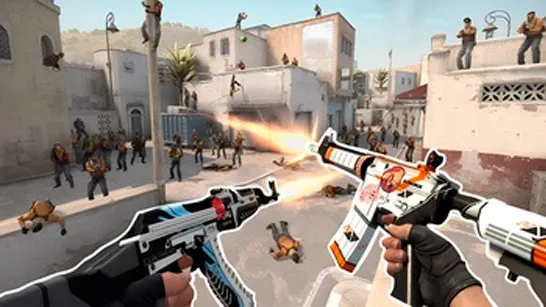
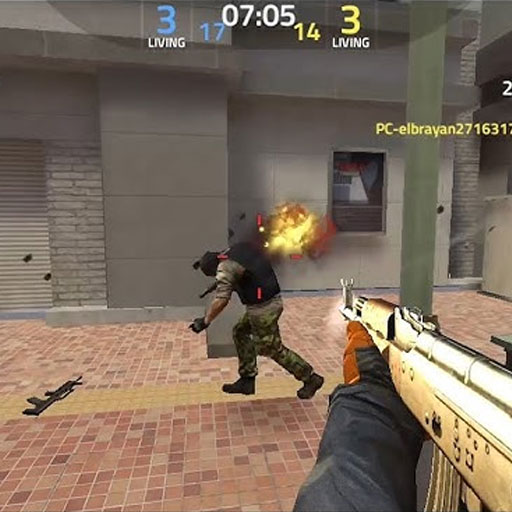
Forward Assault is a competitive 3D first-person shooter (FPS) that delivers fast-paced, tactical gunfights right in your browser. It focuses on team-based combat, precision shooting, and strategic play. You’ll join online matches, work with teammates, and aim to eliminate opponents or complete objectives like planting or defusing bombs. It’s not just about reflexes, smart positioning and teamwork often decide the outcome.
How to Play Forward Assault
Jumping into a match is quick and straightforward. The shooting game features multiple rooms and maps, so you can start playing almost instantly.
Core Gameplay
- Join a match and get assigned to a team
- Eliminate enemies to earn cash
- Use money to buy better weapons each round
- Complete objectives like bomb planting or defense
- Work with your team to win rounds
You start with basic gear like a pistol and knife, but as you earn money, you can unlock stronger weapons including sniper rifles, shotguns, SMGs, and assault rifles.
Game Modes and Maps
Forward Assault offers a variety of maps and game modes that keep matches fresh:
- Team-based combat modes
- Objective-based missions (like bomb scenarios)
- Practice mode to improve aim and mechanics
Players often mention that learning the layout of maps is just as important as aiming skill.
Customize Your Playstyle
One standout feature is how flexible the game feels:
- Create private rooms with custom settings
- Choose maps, player limits, and match duration
- Join or create clans for more competitive play
- Track your stats (kills, deaths, wins) to improve over time
This makes it suitable for both casual matches and serious competitive sessions.
Controls Guide
The controls are smooth and familiar for FPS players:
- WASD - Move
- Mouse - Aim
- Left Click - Shoot
- Mouse Scroll - Switch weapons
- Spacebar - Jump
- E - Pick up weapons
- Q - Throw weapons
- R - Reload
- B - Buy menu / plant or defuse bomb
- G - Throw grenades
- F - Switch grenades
- Shift - Crouch
- T - Chat
- Tab - View stats
- P - Pause
Player Discussion Around Forward Assault
Players often talk about how teamwork heavily outweighs individual skill. They point out that even a strong aim won’t carry you far without coordination. Another frequent discussion is about aim control and shooting style. Many experienced players recommend burst firing and crouch shooting instead of spraying, as it improves accuracy significantly especially at mid to long range.
Tips to Improve Faster
If you want to get better quickly, focus on these:
- Use burst fire instead of spraying for better accuracy
- Stick with your team solo plays are risky
- Learn map positions to control key areas
- Manage your economy and buy wisely each round
Forward Assault stands out because it delivers a full FPS experience without downloads. The mix of fast action, tactical depth, and competitive features makes it easy to jump in but challenging to master. Play Forward Assault now, team up with players worldwide, and prove your skills in intense 3D FPS battles! Try Counter-Strike 1 for the same shooting experience.