Game Controls
- WASD: Move your ragdoll.
- Space: Jump.
- C: Crouch.
- R: Enter ragdoll mode / respawn.
- Tab: Enter or exit Build Mode.
- F: Open the item menu.
- Mouse: Look around and navigate menus.
















Ragdoll Sandbox
Introduction to Ragdoll Sandbox
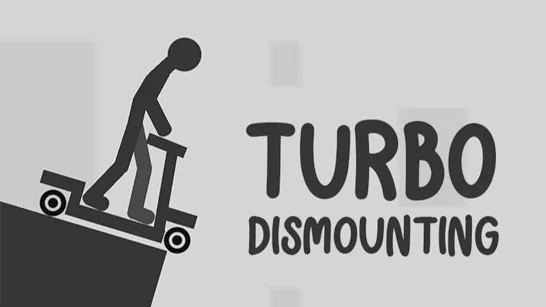
Ragdoll Sandbox is a 3D physics simulation game where crashes, falls, and ridiculous collisions are the main attraction. With no fixed mission to follow, you can play around with blocky ragdoll characters, build sandbox environments, and experiment with physics in unpredictable ways. Cars, lasers, explosives, obstacles, and other interactive objects can turn a simple setup into complete chaos and destruction in seconds. The freedom to create and experiment is what separates it from a typical action game; there is no need to win a battle when launching a ragdoll into a wall can be entertaining on its own. Ragdoll Sandbox works like a creative playground where ragdoll physics and bad ideas collide.

Key Features of Ragdoll Sandbox
- Ragdoll Physics: Falls, impacts, and collisions send characters tumbling in unpredictable ways.
- Open-Ended Sandbox: Experiment freely instead of following a fixed objective.
- Interactive Objects: Combine hazards and environmental objects to create different scenarios.
- Cars & Destruction: Vehicles add another way to cause crashes and test the physics system.
- 3D Environments: Open spaces give ragdolls and objects plenty of room to collide, fall, and fly around.
Gameplay Guide for Ragdoll Sandbox
The basic idea is to explore the environment, interact with sandbox objects, and use ragdoll physics to create your own chaotic situations.
Gameplay Basics
Start by moving around and learning how your ragdoll reacts to the environment. Falls and collisions can quickly knock the character off balance, so even ordinary movement can produce unexpected results.
The sandbox becomes much more interesting once different objects interact. Experiment with cars, lasers, explosives, obstacles, and other hazards, or set up situations involving additional ragdolls. A vehicle crash can scatter characters across the area, while traps and destructive objects can produce completely different physics reactions. There is no single solution or finish line - the fun comes from changing the setup and seeing what happens next.
Game Controls
- WASD: Move your ragdoll.
- Space: Jump.
- C: Crouch.
- R: Enter ragdoll mode / respawn.
- Tab: Enter or exit Build Mode.
- F: Open the item menu.
- Mouse: Look around and navigate menus.
Tips to Win
- Combine Objects: Mixing hazards, vehicles, and ragdolls creates more interesting physics reactions.
- Use the Environment: Walls, ramps, and obstacles can make crashes much more dramatic.
- Experiment With Cars: Try different collisions instead of simply driving around.
- Watch Your Position: Standing too close to hazards can turn your experiment against you.
- Change the Setup: Small adjustments can produce completely different ragdoll results.
Build a ridiculous setup, put the ragdoll physics to work, and see how much chaos you can create in Ragdoll Sandbox.