Ragdoll and Object Controls
- Mouse: Select objects and navigate menus.
- Arrow Keys: Move around the map.
- E / Q: Spawn the selected object.
- Hold Left Mouse Button: Grab and drag objects.
- F: Activate an object.
- A / D: Rotate the selected object.
- Mouse Wheel: Resize objects.
- Right Mouse Button / Backspace: Delete objects.


















Ragdoll Playground
Introduction to Ragdoll Playground
Ragdoll Playground is a free online 2D physics sandbox where creating chaos is the whole point. Instead of completing missions or chasing a final objective, you get a collection of ragdolls, vehicles, weapons, explosives, machines, and other interactive objects to experiment with however you want. Build a strange contraption, send a vehicle crashing into it, or connect several objects and see whether the resulting chain reaction works as planned. Gravity, momentum, collisions, and ragdoll physics make even similar setups behave in unexpected ways. With no timer or fixed route telling you what to do next, the fun comes from testing ideas, breaking them apart, and building something even more ridiculous.
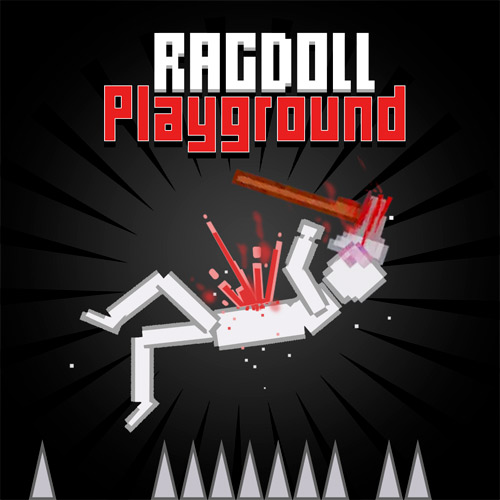
Ragdoll Playground - A 2D physics sandbox to build and create chaotic experiments
Key Features of Ragdoll Playground
- Open Physics Sandbox: Create experiments freely without missions, levels, or win conditions.
- Ragdolls and Interactive Objects: Mix characters, machines, environmental objects, and other props in the same setup.
- Weapons & Explosives: Build destructive scenarios and trigger physics-driven chain reactions.
- Driveable Chaos: Add vehicles to experiments for crashes, impacts, and high-speed collisions.
- Multiple Sandbox Maps: Different environments give you new layouts and obstacles to build around.
Gameplay Guide for Ragdoll Playground
Ragdoll Playground revolves around building, destruction, and physics experimentation. There is no required solution, so each session can be as simple or elaborate as you want.
Build and Test Physics Experiments
Choose a sandbox map, open the object menu, and start placing items. A single ragdoll or vehicle can be enough for a quick test, while larger setups can combine weapons, explosives, machines, and environmental obstacles.
Once everything is positioned, activate your creation and watch the physics take over. Momentum can send objects flying, collisions can knock an entire setup apart, and carefully placed explosives can trigger much larger chain reactions. If the result isn't what you expected, reposition or resize the objects and test it again.
The lack of traditional progression is important here. Rather than unlocking the next level, progress comes from learning how different objects interact and finding increasingly creative ways to combine them.
Ragdoll and Object Controls
- Mouse: Select objects and navigate menus.
- Arrow Keys: Move around the map.
- E / Q: Spawn the selected object.
- Hold Left Mouse Button: Grab and drag objects.
- F: Activate an object.
- A / D: Rotate the selected object.
- Mouse Wheel: Resize objects.
- Right Mouse Button / Backspace: Delete objects.
Tips for Better Physics Experiments
- Start Small: Test individual objects before connecting them into a larger setup.
- Plan Chain Reactions: Position explosives and machines so one interaction can trigger the next.
- Adjust the Angle: Rotate objects to change launch direction, impacts, and collisions.
- Mix Object Types: Combining vehicles, ragdolls, weapons, and explosives often creates more interesting results.
- Use the Environment: Terrain and obstacles can completely change how a physics experiment plays out.