Game Controls
- Mouse – Inspect documents
- Left Click – Select options and make decisions
- Mouse Movement – Examine IDs, faces, and information







Clone or Neighbor 3
What Is Clone or Neighbor 3?
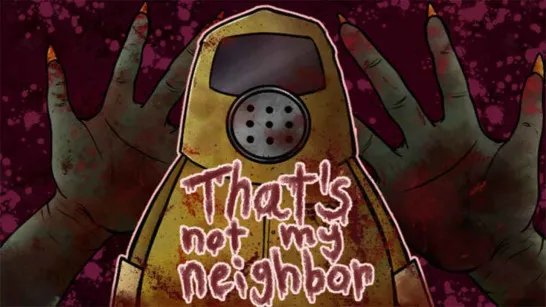
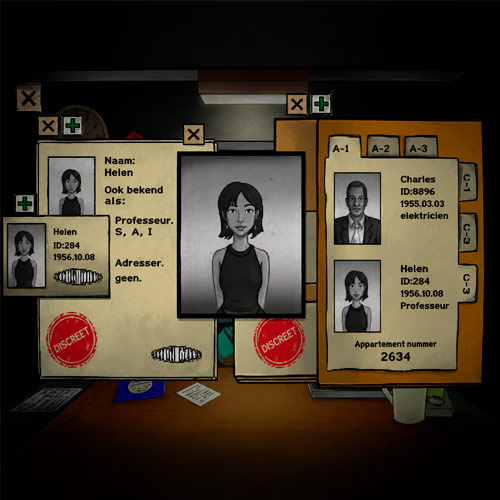
Clone or Neighbor 3 is a 3D horror and puzzle game where you serve as the guardian of an apartment building under threat from mysterious clones. Your mission sounds simple: verify identities and allow legitimate residents inside. The problem? Some visitors are dangerous impostors that look almost identical to real tenants.
Inspired by deduction and inspection gameplay of two previous series, Clone or Neighbor 3 challenges your attention to detail, memory, and decision-making skills. Every visitor could be a trusted neighbor - or a clone trying to infiltrate the building. One wrong choice can put everyone at risk.
As the game progresses, the difficulty increases dramatically. Clones become more convincing, forged documents become harder to detect, and strange mutations become increasingly subtle. Surviving all seven days requires focus, patience, and sharp observation.
Key Features of Clone or Neighbor 3
Before you begin your first day as a building guard, here are some of the features that make the experience so engaging.
- Seven days of survival challenges
- New neighbors and residents
- Advanced clone mutations
- Identity verification phone system
- Achievement challenges
- Improved story and interface
How to Play Clone or Neighbor 3
The core gameplay revolves around checking visitors before allowing them into the building.
When someone arrives:
- Examine their identification documents.
- Compare their appearance with the information provided.
- Check the resident directory for consistency.
- Look for suspicious mutations or unusual details.
- Use the phone system if verification is needed.
- Approve genuine residents or report suspicious visitors.
As the days pass, the clues become less obvious, forcing you to pay attention to even the smallest discrepancies.
Game Controls
The controls are intentionally simple so you can focus entirely on the investigation.
- Mouse – Inspect documents
- Left Click – Select options and make decisions
- Mouse Movement – Examine IDs, faces, and information
The challenge comes from observation and judgment rather than complicated controls.
Tips to Catch More Clones
- Study Resident Information Carefully: The better you know your tenants, the easier it becomes to recognize impostors attempting to mimic them.
- Check Every Detail: Small inconsistencies often reveal a clone. Compare names, photographs, facial features, and other identifying information.
- Use the Phone System Frequently: If something feels wrong, verify it. A quick phone call can prevent a costly mistake.
- Don't Rush Decisions: While pressure increases over time, careless choices are often more dangerous than taking an extra moment to investigate.
Why Clone or Neighbor 3 Is So Addictive
The appeal of Clone or Neighbor 3 comes from its constant tension. Every interaction forces you to make a judgment call with limited information. Unlike traditional arcade games that focus on speed or action, this game creates suspense through uncertainty. You're constantly asking yourself:
- Is this person really who they claim to be?
- Does their appearance match their ID?
- Is that small facial difference a mutation?
- Should I verify their identity by phone?
Each successful inspection feels rewarding, while every mistake raises the stakes for future shifts.
Play Clone or Neighbor 3 Online Now
Clone or Neighbor 3 transforms simple identity checks into a nerve-racking survival challenge. Put your detective skills to the test, inspect every visitor carefully, and see if you can survive all seven days without letting a dangerous clone slip through the door.
Similar Horror Exploration Games
- Horror Nun
- FNAF: Sister Location
- 99 Nights in the Forest
- Hollow Knight
- The House Game