PC
- Left Click: Select and place stickers
- Click + Drag: Move objects
- Drag Handles: Resize or rotate stickers
- Toolbar: Flip, change variants, adjust layers, or remove objects
- Drag Empty Space: Move around the room
- Arrow Buttons: Browse sticker sheets
Mobile
- Tap: Select and place stickers
- Drag: Move objects
- Pinch: Zoom in or out
- On-Screen Tools: Resize, rotate, flip, layer, or remove stickers














Cornerlet
Introduction to Cornerlet
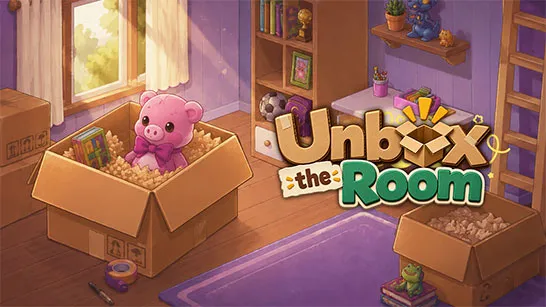
Cornerlet is a cozy 2D decoration and simulation sandbox game where you create your own little room using colorful stickers. Pick furniture, plants, rugs, lamps, cute creatures, and other decorative objects from different sticker sheets, then place them anywhere you like. Each item can be moved, resized, rotated, flipped, or layered with other objects, giving you plenty of freedom to shape the space around your own ideas. There are no scores, timers, or wrong layouts to worry about. It is simply about relaxing with room design and turning an empty corner into a cozy space that feels uniquely yours.
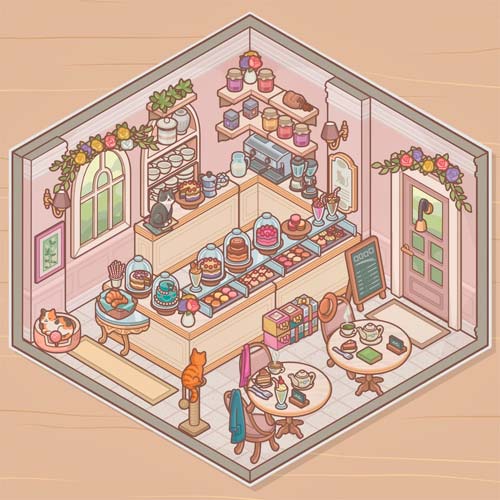
Key Features
- Creative Room Decoration: Design cozy spaces without fixed objectives or rules.
- Hundreds of Stickers: Choose from furniture, plants, decorations, and cute objects.
- Flexible Editing: Move, resize, rotate, flip, and remove stickers freely.
- Object Layering: Arrange items in front of or behind each other for more detailed designs.
- Relaxing Sandbox: Create at your own pace with no timer, score, or fail state.
Gameplay Guide
This game keeps its gameplay simple and creative. Choose a room, browse the available sticker sheets, and start arranging objects until the space looks the way you want.
Design Your Own Cozy Corner
- Place and Customize Stickers: Select stickers and place them around the room to build your scene. You can reposition, resize, rotate, flip, or switch variants to make each object fit your design.
- Layer and Arrange Your Room: Move objects forward or backward to create layered arrangements with furniture and smaller decorations. There is no required layout, so you are free to keep editing, experiment with different combinations, or completely redesign your corner.
Game Controls
PC
- Left Click: Select and place stickers
- Click + Drag: Move objects
- Drag Handles: Resize or rotate stickers
- Toolbar: Flip, change variants, adjust layers, or remove objects
- Drag Empty Space: Move around the room
- Arrow Buttons: Browse sticker sheets
Mobile
- Tap: Select and place stickers
- Drag: Move objects
- Pinch: Zoom in or out
- On-Screen Tools: Resize, rotate, flip, layer, or remove stickers
Tips for Better Room Designs
- Start with large furniture: Place major items first, then fill smaller spaces with decorations.
- Use layers: Put rugs behind furniture and smaller objects in front for more depth.
- Adjust the size: Resize stickers to make different objects fit naturally together.
- Try different variants: Switch designs before removing an item completely.
- Don't overcrowd the room: Leaving some open space can make individual decorations stand out.
There is no perfect way to decorate your space. Play game, mix and match your favorite stickers, and create a cozy little room entirely your way.