Game Controls
PC
- Left Mouse Button: Select clothes, hairstyles, accessories, and menu options
- Mouse Wheel: Scroll through wardrobe items
Mobile
- Tap: Select clothes, accessories, and other options
- Swipe: Browse available fashion items





Ladybug: Blogger Dress Up
Introduction to Ladybug: Blogger Dress Up
Ladybug: Blogger Dress Up is a casual fashion game where you become Ladybug's personal stylist and help turn her into a popular fashion blogger. Build each look by combining hairstyles, dresses, tops, pants, shoes, bags, jewelry, and other accessories from her wardrobe. Once an outfit is ready, choose a background, publish the look, and watch the post attract likes and followers. Growing the blog can unlock new wardrobe gifts, giving you more pieces to work with in future outfits. With simple mouse controls and plenty of styling combinations, the game adds a light social-media progression system to the familiar dress-up formula.
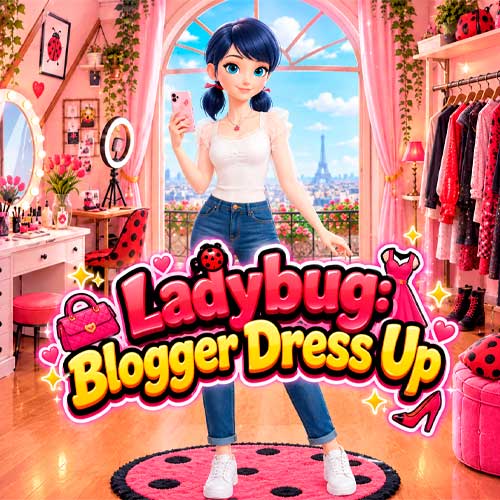
Ladybug: Blogger Dress Up Highlights
- Creative Dress-Up: Mix clothes, hairstyles, shoes, bags, and jewelry to create different looks.
- Fashion Blogger System: Publish finished outfits and collect likes and followers.
- Wardrobe Unlocks: Grow your audience to receive new fashion items and expand your styling options.
- Photo Styling: Change backgrounds and lighting to give each finished look a different presentation.
- Messenger: Chat with familiar characters such as Cat Noir, Alya, and Kagami between styling sessions.
Gameplay Guide for Ladybug: Blogger Dress Up
Ladybug: Blogger Dress Up follows a simple fashion loop: choose an outfit, complete the look with accessories, prepare the photo, and publish it to the blog. The more you play, the more styling options you can discover.
Style, Post, and Grow Your Fashion Blog
Browse the wardrobe and combine different hairstyles, tops, dresses, pants, shoes, bags, and accessories. There is no single correct combination, so you can experiment until everything works together.
After styling Ladybug, select the lighting and background before sharing the finished look. Posts can receive reactions and help increase your follower count, while progress can reward you with additional wardrobe items for future designs.
Game Controls
PC
- Left Mouse Button: Select clothes, hairstyles, accessories, and menu options
- Mouse Wheel: Scroll through wardrobe items
Mobile
- Tap: Select clothes, accessories, and other options
- Swipe: Browse available fashion items
Styling Tips for Ladybug: Blogger Dress Up
- Build around one piece: Pick a favorite dress or top first, then match the rest of the outfit.
- Mix accessories carefully: Shoes, bags, and jewelry can complete a look without overcrowding it.
- Try different hairstyles: A new hairstyle can completely change the style of an outfit.
- Match the background: Choose a scene that complements the colors and mood of your look.
- Grow your followers: Keep publishing outfits to unlock more wardrobe options.
Create a look worth sharing. Style Ladybug with your favorite clothes and accessories, publish each outfit, and grow her fashion blog one post at a time.