Game Controls
- WASD: Move
- Mouse: Look around
- Left Mouse Button: Place a structure
- Z / X / C / V / Y: Select building pieces
- R: Rotate stairs
- Space: Jump












Justbuild LoL
Introduction to JustBuild.LOL
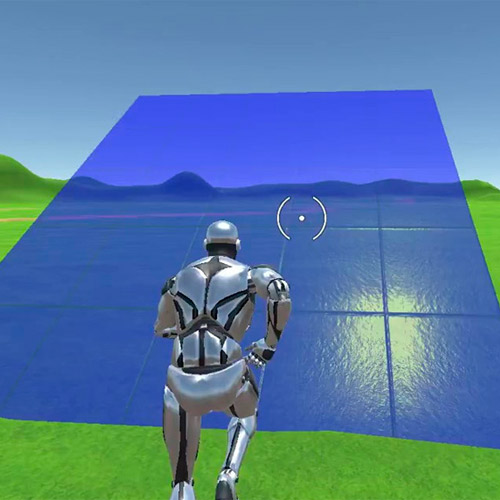
JustBuild.LOL is a 3D building simulator and sandbox game designed around one thing: getting faster and more precise at construction. This free online browser game gives you a distraction-free space to place walls, ramps, floors, and other structures without stopping to gather resources. Unlike survival or battle royale games, the focus stays firmly on building mechanics rather than combat. Speed, accurate placement, editing, and smooth switching between building pieces become the real challenge. With room to repeat construction sequences freely, JustBuild.LOL works particularly well as a practice ground for developing building skills, precision, and muscle memory.
Key Features of JustBuild.LOL
- Unlimited Building: Construct freely without stopping to gather materials.
- Building Practice: Improve placement, editing, speed, and muscle memory.
- Multiple Structures: Combine walls, ramps, floors, and other building pieces.
- 3D Sandbox: Experiment freely without combat interrupting your practice.
- Custom Keybinds: Adjust controls to make rapid building more comfortable.
Gameplay Guide for JustBuild.LOL
JustBuild.LOL has no traditional win condition driving each session. Instead, progress comes from becoming more comfortable with the controls and completing building sequences faster and more accurately.
Building Gameplay Mechanic
Start by learning how to place individual structures cleanly. Walls provide vertical coverage, ramps let you gain height, and floors create stable paths between builds. Once those inputs become familiar, begin combining pieces rather than placing them separately.
Speed comes later. Practice switching between structures without hesitating, then work on more demanding sequences such as quick elevation changes and 90-degree turns. Editing is another useful skill to develop, since clean edits make movement through your own structures smoother.
Because resources are not the focus, failed attempts cost little. Reset your approach, repeat the sequence, and gradually turn deliberate key presses into muscle memory.
Game Controls
- WASD: Move
- Mouse: Look around
- Left Mouse Button: Place a structure
- Z / X / C / V / Y: Select building pieces
- R: Rotate stairs
- Space: Jump
Tips and Tricks
- Learn one piece at a time: Get comfortable placing walls, ramps, and floors before chaining them together.
- Prioritize accuracy first: Clean placement builds better muscle memory than rushing and constantly correcting mistakes.
- Practice quick switching: Learn the keys for each structure until changing pieces becomes automatic.
- Build upward efficiently: Combine ramps and surrounding pieces to practice gaining height without losing momentum.
- Repeat short sequences: Practicing the same wall-ramp-floor pattern is more useful for speed training than building randomly.
Play JustBuild.LOL online and focus on the mechanics that matter: place structures cleanly, switch pieces faster, and turn each building sequence into muscle memory.