Game Controls
- W, A, S, D - Move
- Space - Jump
- Shift - Run
- Mouse - Attack and interact with UI
- 1–6 - Switch weapons
- R - Reload
- E - Interact with objects
- Q - Open the Spawn Menu
- C - Open Character Menu / Change vehicle camera
- Z - Delete the last spawned object
- V - Toggle Flight Mode
- X - Crouch
- Esc - Pause the game













Gamer's Mod
Introduction to Gamer's Mod
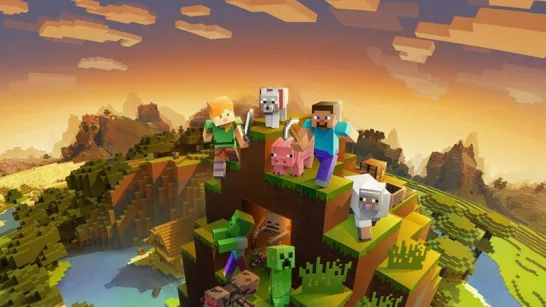
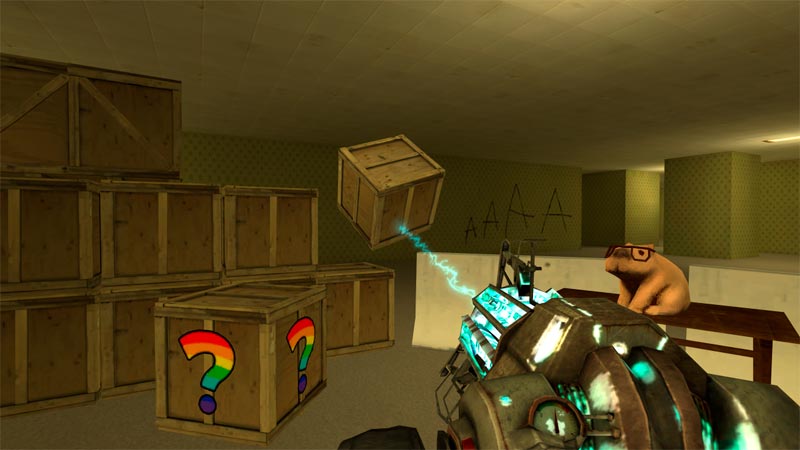
Gamer's Mod is a physics sandbox game where your objective is to create your own gameplay experience using realistic physics, interactive objects, vehicles, weapons, and AI enemies. Instead of following fixed missions, you decide whether to build a fortified base, engineer complex contraptions, drive across the map, survive zombie attacks, or stage large-scale battles against robots and nextbots.
Every object in the world responds to the physics engine, making construction, destruction, and combat feel dynamic and unpredictable. Whether you're experimenting with new ideas or simply causing spectacular chaos, Gamer's Mod rewards creativity far more than following rules.
Highlight Features
- Creative Physics Sandbox - Build structures, test inventions, and experiment with realistic object interactions.
- Complete Spawn System - Instantly place props, weapons, vehicles, NPCs, and enemies anywhere on the map.
- Building & Construction Freedom - Design bunkers, garages, obstacle courses, defensive walls, or your own custom playground.
- Dynamic Combat Sandbox - Fight zombies, hostile robots, and nextbots with a wide variety of weapons.
- Vehicle Exploration - Drive different vehicles, switch viewpoints, or activate Flight Mode to explore from above.
- Unlimited Player Creativity - Mix construction, combat, exploration, and destruction into your own unique scenarios.
Gamer's Mod Gameplay Guide
Unlike traditional action games, Gamer's Mod doesn't tell you what to do. You create your own objectives.
Gameplay Basics
The Spawn Menu is where almost everything begins. It lets you place objects, vehicles, weapons, enemies, and other props anywhere on the map, giving you complete control over your own sandbox. Because every object follows the game's realistic physics, even simple experiments can lead to surprising results. Build a bunker, set up obstacles, create a battle arena, or simply see what happens when everything collides.
Once your world is ready, you can jump straight into combat by spawning zombies, robots, or nextbots. Test different weapons, defend your creations, or redesign your base after every encounter. If fighting isn't your priority, hop into a vehicle to explore the map or activate Flight Mode for a better view while building and experimenting.
Game Controls
- W, A, S, D - Move
- Space - Jump
- Shift - Run
- Mouse - Attack and interact with UI
- 1–6 - Switch weapons
- R - Reload
- E - Interact with objects
- Q - Open the Spawn Menu
- C - Open Character Menu / Change vehicle camera
- Z - Delete the last spawned object
- V - Toggle Flight Mode
- X - Crouch
- Esc - Pause the game
Tips and Tricks Shared by Players
- Start with small builds before creating massive structures.
- Use Flight Mode to place objects more accurately.
- Test different weapon combinations against spawned enemies.
- Build defensive walls before activating zombie or robot encounters.
- Experiment with physics - sometimes the funniest moments happen completely by accident.
Ready to build your own chaos? Step into Gamer's Mod, unleash your imagination, and transform an empty sandbox into your own world of construction, experimentation, vehicles, physics, and nonstop action.